
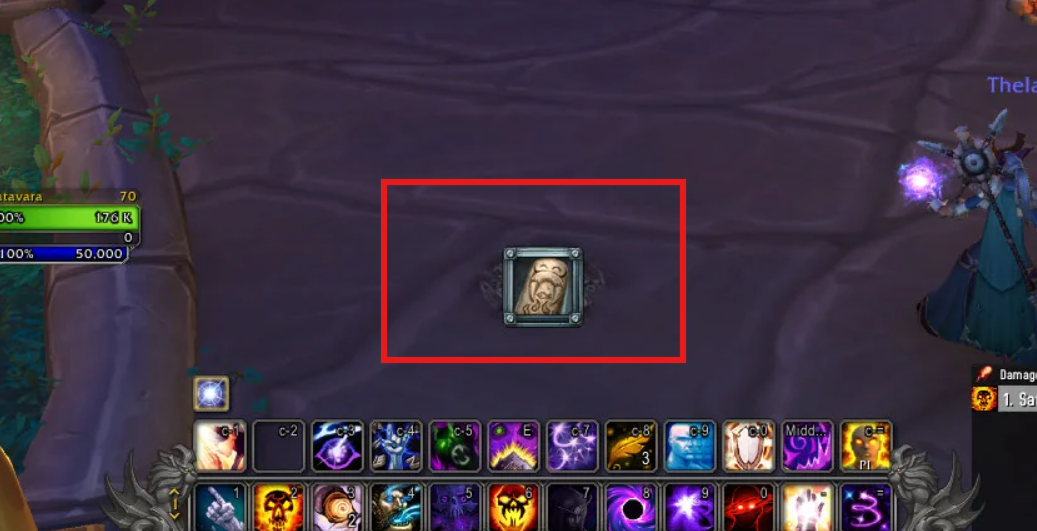
The Extra Action Button is one of the most useful — and most forgotten — UI features in WoW Classic (and also Retail).
It appears during special encounters, quests and boss mechanics, and being able to trigger it instantly with a macro can noticeably improve your gameplay.
Whether you’re playing Cata, MoP or Retail, this guide shows you how to control the Extra Action Button properly.
What Is the Extra Action Button?
You’ve seen it before: that large glowing button that suddenly appears in the middle of your screen during certain mechanics.
It shows up in vehicle quests, raid encounters, special events and a lot of boss abilities — many modern Classic mechanics.
Instead of hunting for it with your mouse every time, you can trigger it instantly with a macro.
The Essential Extra Action Button Macro
Here’s the macro you need:
#showtooltip
/click ExtraActionButton1
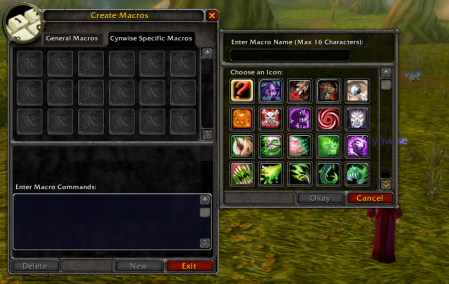
Place it on your action bar and bind it to a comfortable key. Once you start using it, you’ll never want to play without it again.
Why This Macro Matters
Using this macro removes unnecessary mouse movement, improves reaction time, and makes your performance far more consistent — especially in raids where missing a single mechanic can cause a wipe.
It also keeps your UI cleaner and your focus where it should be: on the fight.
Compatibility
This macro works perfectly in all the game versions that provides the Extra Action Button:
- Wrath Classic,
- Cata Classic,
- Mist of Pandaria Classic,
- and Retail.
No addons required.
Hiding the Extra Action Button From Your UI
If you’re using the macro, you may no longer want the giant Extra Action Button taking space in the middle of your screen.
You can safely hide it with a small UI script.
Open your chat box and paste:
/run ExtraActionBarFrame:Hide()That’s it — the button will disappear from your UI, while the macro will continue to work normally.
If you ever want it back:
/run ExtraActionBarFrame:Show()This is especially useful for players building clean raid UIs or minimalist setups.
Tip: You can put these commands into a macro called Hide Extra Button and Show Extra Button for easy toggling.







Leave a Reply
You must be logged in to post a comment.