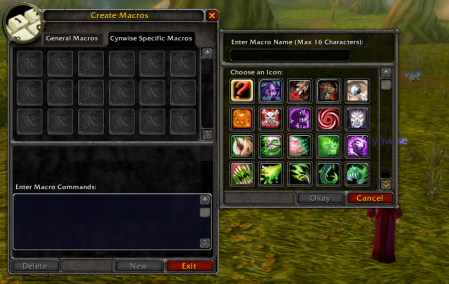
Welcome to the complete hub of class macros for WoW Classic. Whether you’re leveling in Classic Era, sweating in Hardcore, or exploring Season of Discovery, this page links to every class-specific macro guide on WoWClassicUI.
Each guide is built with simple, reliable macros that avoid keybind bloat, work with most UIs, and are easy to copy into the in-game macro editor.
All Class Macros for WoW Classic
Choose your class below to see macro pages covering all main specs, from leveling to dungeons and raids.

Warrior Macros
Arms, Fury and Protection macros focusing on stance dancing, rage dumps and tank tools like Taunt, Shield Block and Last Stand.
Paladin Macros
Holy, Protection and Retribution macros: mouseover cleanses, tank openers, Hammer of Justice focuses and the classic Bubble + Hearth.
Hunter Macros
Beast Mastery, Marksmanship and Survival macros: smart pet control, pull macros, trap + Feign setups and Aimed Shot / Multi-Shot helpers.

Rogue Macros
Macros for stealth openers, kick / Gouge focus, one-button builders / finishers and quality-of-life tools for PvE and PvP.
Priest Macros
Discipline, Holy and Shadow macros: mouseover heals, Power Infusion support, focus Silence and Shadow DoT sequences.

Mage Macros
Frost, Fire and Arcane macros: polymorph focus, counterspell focus, one-button decurse and smart AoE (Blizzard / Flamestrike) helpers.
Warlock Macros
Affliction, Destruction and Demonology macros: DoT sequences, Spell Lock focus, mouseover Fear and classic Death Coil panic tools.

Druid Macros
Balance, Feral and Restoration macros: form swapping, Bear / Cat rotations, Nature’s Swiftness heals and battle res mouseover tools.

Shaman Macros
Elemental, Enhancement and Restoration macros: Purge / Cleanse mouseover, shocks and Lightning rotation helpers, totem drops and Nature’s Swiftness + Healing Wave.
How to Use These Macro Pages
Open your class page, pick a macro, then:
- Copy the macro text from the code block.
- In-game, type /macro and create a new macro.
- Paste the macro text into the macro window and save.
- Drag it onto your action bar and test it on a dummy or low-risk mob.