Author: wcui

  • Top 10 Most Useful Addons for WoW Classic (2025 Edition)

    Top 10 Most Useful Addons for WoW Classic (2025 Edition)

    Addons are a huge part of the WoW Classic experience. Whether you’re leveling, raiding, farming, or simply organizing your bags, the right addons can dramatically improve your gameplay. In this guide, we highlight the Top 10 most essential and widely used addons for Vanilla, Season of Discovery, TBC Classic, Wrath Classic, and Cata Classic.

    This list covers UI upgrades, combat tools, quality-of-life improvements, and postbox utilities — everything you need for a polished Classic experience.


    1. Bartender – Complete Action Bar Replacement

    Bartender is the go-to action bar addon for WoW Classic, offering complete control over your bars: size, position, padding, visibility, paging, stance switching, and more. If you want a clean and modern UI, this is non-negotiable.

    i

    Why It’s Essential

    Bartender frees you from the rigid default action bars and allows you to build a custom layout that matches your playstyle perfectly.


    2. Quartz – Cast Bar Enhancer

    Quartz replaces the default cast bar with a clean, customizable, latency-aware cast bar that’s far easier to read. It also includes swing timers, target casting, and channeling modules.

    If you play a caster or melee DPS, Quartz is one of the most impactful addons you can install.


    3. Bagnon (or BankStack / Combuctor) – Bag Unification & Search

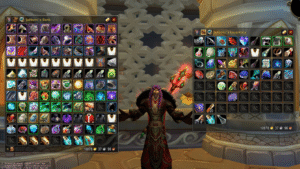
    Bagnon remains one of the most popular bag addons, merging all bags into a single clean window and adding sorting, search, and item-level coloring. If you prefer a more modern alternative, Combuctor is an excellent replacement with category filtering.

    i

    Suggested Setup

    Bagnon + BankStack if you want sorting, or Combuctor for a cleaner, retail-inspired inventory.


    4. BigWigs or Deadly Boss Mods – Boss Warnings

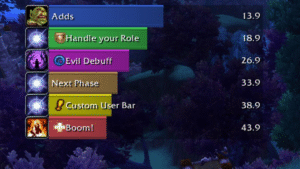
    Every raider uses either BigWigs or DBM (Deadly Boss Mods). These addons provide timers, alerts, sounds, and warnings for boss mechanics in raids and dungeons.

    • BigWigs → lighter, modular, highly customizable
    • DBM → more “out of the box,” easier for casual players

    Whichever you choose, they massively improve boss awareness.


    5. Postal – Mailbox Quality of Life

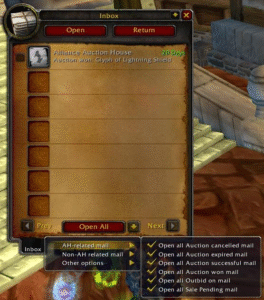
    Postal makes mailing items effortless. It adds features like mass mail opening, remembering names, auto-filling items, and single-click operations — perfect for auction house users and alts.

    This is one of those addons you don’t think about until you try it, and then you can’t live without it.


    6. Details! – Damage Meter

    Details! is the gold standard for damage meters. It’s lightweight, flexible, and shows real-time DPS, HPS, interrupts, threat, dispels, deaths, and more. It also integrates beautifully with modern UI layouts.

    Perfect for raiders, dungeon runners, and anyone who wants to track performance.


    7. Plater or KuiNameplates – Nameplate Enhancements

    A good nameplate addon is essential for visibility and combat awareness. The two kings are:

    • Plater – extremely customizable, fantastic for tanks and Mythic-like visibility
    • KuiNameplates – clean, lightweight, great default look

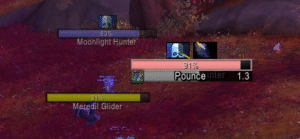
    Both are miles better than the default nameplates and help with tracking casts, debuffs, and threat.


    8. Prat – Chat Enhancer

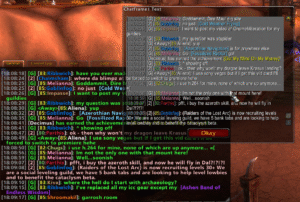
    Prat greatly improves the chat window with timestamps, colors, class icons, URL copying, channel formatting, and more. It cleans up the chatbox without overwhelming it with unnecessary fluff.

    If you type in chat often, or you want your UI to look polished, Prat is a must-have.


    9. WeakAuras – Advanced Tracking

    WeakAuras is easily the most powerful addon in the game. You can track cooldowns, buffs, debuffs, consumables, boss timers, procs, combo points, resources — absolutely everything.

    It’s optional for casual players, but for raiders, it’s become a standard part of the UI.


    10. Leatrix Plus – Quality of Life Suite

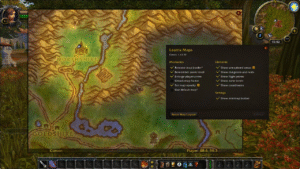
    Leatrix Plus bundles tons of convenience features into one addon: auto-selling greys, auto-repairing, faster loot, skipping dialogue, improving the map, camera tweaks, and more.

    If you only install one QoL addon, make it this one.


    Bonus: Optional Addons Worth Considering

    • AtlasLootClassic – Loot tables for raids, dungeons, PvP
    • OmniCC – Cooldown numbers on abilities
    • TullaCC – Lightweight OmniCC alternative
    • GatherMate2 – Herbs, ore, fishing nodes on the map
    • ElvUI (UI overhaul) – for players who want a “total UI transformation”

    Final Thoughts

    These 10 addons represent the best combination of performance, popularity, and utility across all versions of WoW Classic. Whether you’re a new player or a veteran preparing for raids, this selection will dramatically improve your gameplay experience.

    Want to know exactly where to put these addons and how to install them step by step? Check out our guide: How to Manually Install Addons in WoW Classic.

  • Your Custom UI Isn’t Going Anywhere in Midnight

    Your Custom UI Isn’t Going Anywhere in Midnight

    The WoW community has been buzzing with concerns about what the Midnight expansion means for addons, nameplates, and custom UIs. This week, Game Director Ion Hazzikostas directly addressed those fears in a detailed reply on Reddit — and the message is clear:

    👉 Your custom UI will continue to work in Midnight.

    While Blizzard is refining and modernizing the base UI, the goal is not to replace addons or force players to abandon years of personalization.


    Blizzard’s Vision for Addons in Midnight

    Here are the key takeaways from Ion’s comment:

    • Base UI improvements are ongoing, especially around nameplates, unit frames, and raid frames. Players in beta will see features arrive earlier than usual so Blizzard can gather feedback faster.
    • The goal is not to remove addons but to reduce the feeling that they are mandatory for basic gameplay clarity.
    • The recent “Addon Disarmament” changes are focused on reducing real-time combat logic advantages, not on blocking aesthetic or layout addons.
    • Blizzard understands the power and flexibility of the addon ecosystem — and their UI team is actively working with addon devs to re-enable a wide range of cosmetic addons for Midnight.
    • Custom UIs, themes, resource bars, textures, shapes, colors, layouts… all these will remain customizable as long as they don’t automate combat logic.

    “If You Think the Default UI Is Ugly… That’s Fine.”

    One standout quote from Ion summed it up perfectly:

    “If you think the default UI is ugly, or you prefer your secondary resources displayed in a certain way, that’s entirely your prerogative — and we want as many addon options as possible to let you customize everything that isn’t real-time combat logic.”

    So yes:
    ✔ Your custom unit frames? Safe.
    ✔ Your nameplate style? Safe.
    ✔ Your personal action bar setup? Safe.
    ✔ Your UI overhaul addon? Safe.

    Midnight might refine the base experience, but addons remain a core part of WoW’s identity, and Blizzard intends to keep it that way.


    The Full Reddit Comment

    Comment
    byu/itsVanAken from discussion
    inwow

    The full interview video is available on Youtube

  • How to Manually Install Addons in WoW Classic

    How to Manually Install Addons in WoW Classic

    Whether an addon is not available on your favorite manager, recently updated by the author, or hosted on a different website, sometimes you need to install it manually. The process is simple, but the correct folder path depends on your version of World of Warcraft Classic.

    This guide will walk you through downloading, extracting, installing, and enabling addons across all Classic editions: Vanilla, Season of Discovery, TBC, Wrath, and Cata Classic.


    Step 1 – Download the Addon

    Most addons come in a .zip file. Download it from a trusted source (CurseForge, GitHub, WoWClassicUI, author’s website).

    i

    Always check the version

    Make sure the addon supports your Classic version (Vanilla / SoD / TBC / Wrath / Cata). Many addons publish separate downloads.


    Step 2 – Extract the Addon Folder

    Once downloaded, right-click the .zip file and select:

    • Extract All… (Windows)
    • Extract Here (WinRAR/7-Zip)
    • Archive Utility (macOS)

    You should now see one or more addon folders (e.g., Leatrix_Plus, AtlasLootClassic, WeakAuras, etc.).

    i

    Important

    Avoid double-nested folders. The correct structure is:
    World of Warcraft\__classic__\Interface\AddOns\AddonName\AddonName.toc


    Step 3 – Place the Addon in the Correct Folder

    Move the addon folders into your Classic AddOns directory. The exact path depends on your version:

    📌 WoW Classic (Era / SoD)

    World of Warcraft\_classic_era\Interface\AddOns

    📌 TBC / Wrath / Cata Classic

    World of Warcraft\_classic_\Interface\AddOns

    📌 Windows Default Install Location

    C:\Program Files (x86)\World of Warcraft\_classic_\Interface\AddOns

    📌 Windows (Battle.net Custom Location)

    D:\Games\World of Warcraft\_classic_\Interface\AddOns

    📌 macOS

    /Applications/World of Warcraft/\_classic_\Interface/AddOns

    i

    It must be AddOns (capital A and O)

    WoW is case-sensitive on certain systems. The folder must be exactly named AddOns.


    Step 4 – Enable Addons In-Game

    Launch World of Warcraft and on the Character Select Screen, click:

    • AddOns (bottom-left corner)
    • Make sure the addon is listed and checked
    • Check “Load out of date AddOns” if necessary
    i

    If the addon doesn’t appear

    It means the folder is in the wrong location or you have an extra nested folder layer inside the zip. Check again!


    Step 5 – Updating Addons Manually

    To update the addon later, simply:

    • Download the new version
    • Extract it
    • Replace the old folder in AddOns

    You can safely overwrite the files — no need to delete the old version first.


    Common Problems & Fixes

    • The addon doesn’t show in-game: Wrong folder path or extra nested folder.
    • “Out of date” warning: Check Load out of date AddOns.
    • Multiple folders included: Some addons include libraries; install all of them.
    • Downloaded source code instead of release: On GitHub, always download the Releases section.

    Extra

    Here’s a ready-to-use PowerShell script that helps you find automatically find (and open) your WoW Classic AddOns folder.

    It:

    • Detects Classic Era (_classic_era) and TBC/Wrath/Cata Classic (_classic_)
    • Lets the user choose if multiple installs are found
    • Creates the Interface\AddOns folder if missing
    • Opens the folder in File Explorer at the end
    <#
    .SYNOPSIS
      Detects the World of Warcraft Classic installation folder on Windows
      and opens the correct AddOns folder in Explorer.
    
    .NOTES
      Works with:
        - WoW Classic Era  ( _classic_era )
        - TBC / Wrath / Cata Classic ( _classic_ )
    
      Usage:
        - Right-click PowerShell -> "Run as administrator" (optional but recommended)
        - Run the script:
            .\Find-WoWClassicAddons.ps1
    #>
    
    [Console]::OutputEncoding = [System.Text.UTF8Encoding]::UTF8
    
    Write-Host "=== WoW Classic AddOns Folder Finder ===" -ForegroundColor Cyan
    Write-Host ""
    
    # Common base paths where WoW is usually installed
    $possibleBasePaths = @(
        "$env:ProgramFiles(x86)\World of Warcraft",
        "$env:ProgramFiles\World of Warcraft",
        "$env:SystemDrive\Games\World of Warcraft",
        "$env:SystemDrive\World of Warcraft"
    ) | Where-Object { Test-Path $_ }
    
    if (-not $possibleBasePaths) {
        Write-Warning "No default World of Warcraft install paths found."
        Write-Host "If you installed WoW in a custom location, please enter it manually."
        $manualBase = Read-Host "Enter your World of Warcraft folder path (e.g. D:\Games\World of Warcraft)"
        if (-not (Test-Path $manualBase)) {
            Write-Error "The path you entered does not exist. Exiting."
            return
        }
        $possibleBasePaths = @($manualBase)
    }
    
    # Find Classic install folders inside each base path
    $candidates = @()
    
    foreach ($base in $possibleBasePaths) {
        # Classic Era
        $classicEraPath = Join-Path $base "_classic_era"
        if (Test-Path $classicEraPath) {
            $candidates += [PSCustomObject]@{
                Type = "Classic Era"
                Path = $classicEraPath
            }
        }
    
        # TBC / Wrath / Cata Classic
        $classicPath = Join-Path $base "_classic_"
        if (Test-Path $classicPath) {
            $candidates += [PSCustomObject]@{
                Type = "Classic"
                Path = $classicPath
            }
        }
    }
    
    if (-not $candidates) {
        Write-Error "No WoW Classic installation found under:"
        $possibleBasePaths | ForEach-Object { Write-Host "  - $_" }
        Write-Host ""
        Write-Host "Make sure you pointed to the correct 'World of Warcraft' folder."
        return
    }
    
    # If multiple Classic installs are found, let the user pick one
    $selectedInstall = $null
    
    if ($candidates.Count -eq 1) {
        $selectedInstall = $candidates[0]
        Write-Host "Detected WoW $($selectedInstall.Type) at:" -ForegroundColor Green
        Write-Host "  $($selectedInstall.Path)"
    } else {
        Write-Host "Multiple WoW Classic installations found:" -ForegroundColor Yellow
        for ($i = 0; $i -lt $candidates.Count; $i++) {
            $idx = $i + 1
            Write-Host "[$idx] $($candidates[$i].Type) -> $($candidates[$i].Path)"
        }
    
        do {
            $choice = Read-Host "Select the installation to use (1-$($candidates.Count))"
            [bool]$ok = [int]::TryParse($choice, [ref]$null) -and
                        ($choice -ge 1) -and ($choice -le $candidates.Count)
            if (-not $ok) {
                Write-Host "Invalid choice. Please enter a number between 1 and $($candidates.Count)." -ForegroundColor Red
            }
        } while (-not $ok)
    
        $selectedInstall = $candidates[[int]$choice - 1]
        Write-Host "Selected WoW $($selectedInstall.Type) at:" -ForegroundColor Green
        Write-Host "  $($selectedInstall.Path)"
    }
    
    # Build AddOns path: <WoWClassic>\Interface\AddOns
    $interfacePath = Join-Path $selectedInstall.Path "Interface"
    $addonsPath    = Join-Path $interfacePath "AddOns"
    
    # Ensure folders exist
    if (-not (Test-Path $interfacePath)) {
        Write-Host ""
        Write-Host "Creating Interface folder:" -ForegroundColor Yellow
        Write-Host "  $interfacePath"
        New-Item -ItemType Directory -Path $interfacePath | Out-Null
    }
    
    if (-not (Test-Path $addonsPath)) {
        Write-Host ""
        Write-Host "Creating AddOns folder:" -ForegroundColor Yellow
        Write-Host "  $addonsPath"
        New-Item -ItemType Directory -Path $addonsPath | Out-Null
    }
    
    Write-Host ""
    Write-Host "Your WoW Classic AddOns folder is:" -ForegroundColor Cyan
    Write-Host "  $addonsPath"
    Write-Host ""
    
    # Ask to open Explorer
    $open = Read-Host "Open this folder in Explorer? (Y/N)"
    if ($open -match '^(y|yes)$') {
        Start-Process explorer.exe $addonsPath
    }
    else {
        Write-Host "You can navigate to this folder manually if you prefer." -ForegroundColor DarkGray
    }
    
    Write-Host ""
    Write-Host "Done. You can now copy your addon folders into the AddOns directory above." -ForegroundColor Green
    

    You’re Ready to Customize Your UI!

    With your addons installed, you can now fine-tune your interface depending on your playstyle. If you’re looking for inspiration, check out our curated selections:

    If you’d like us to create a guide for your favorite addon, feel free to ask!

  • Changes on Burning Crusade Anniversary Edition – Everything You Need to Know

    Changes on Burning Crusade Anniversary Edition – Everything You Need to Know

    The Burning Crusade Classic Anniversary Edition is right around the corner, and Blizzard has started to reveal the first wave of changes coming with this special version of TBC Classic. Between account-wide attunements, raid-wide Heroism/Bloodlust, a built-in UI Edit Mode, and quality-of-life features like Guild Banks available from day one, this is shaping up to be the most modern take on The Burning Crusade so far.

    In this article, we’ll break down every confirmed feature, based on recent Blue Posts and community previews, and what they mean for your raiding, alts, and guild management in the Burning Crusade Classic Anniversary game mode.


    Account-Wide Attunements & Heroic Keys

    In original TBC, the long attunement chains quickly became a nightmare for players who wanted to level and gear multiple characters. With the Anniversary Edition, Blizzard keeps the flavor of attunements while removing a lot of the friction by making them account-wide once completed on your main.

    • Raid attunements – Your first character still needs to complete the full attunement for each raid. Once done, that raid is unlocked for every character on your Battle.net account.
    • Raids launch in their post-nerf state, meaning you’re getting the more polished versions of encounters from day one.
    • Heroic dungeon keys – Your main must reach Revered reputation for each faction to unlock the heroic key.
    • After that, you can purchase a Bind-on-Battle.net-Account Bag containing the heroic key and send it to your alts.
    • Alts only need to be Friendly with the faction to use the key and unlock heroic difficulty.

    i

    Alt-Friendly TBC

    You still have to do the full attunement experience at least once, but after that you can freely swap between alts without redoing every quest chain and rep grind for each heroic or raid.


    Raid-Wide Heroism & Bloodlust

    One of the biggest meta-changing adjustments is how Heroism/Bloodlust works in raids. Originally, these buffs were party-wide, which incentivized stacking Shaman across groups.

    • Heroism/Bloodlust is now raid-wide, affecting the entire raid instead of just a single party.
    • It applies a 10-minute Sated/Exhaustion debuff to prevent chains of consecutive Bloodlusts.
    • The debuff only resets on boss kills or wipes.

    i

    What This Means for Raid Comps

    You no longer need a Shaman in every single group just to min-max Bloodlust uptime. This should open up more flexible raid compositions while keeping the impact of Heroism/Bloodlust strong and meaningful.


    Increased Terocone Respawn Rate

    Terocone has always been a notorious bottleneck for Alchemists in The Burning Crusade. It’s a key ingredient for consumables like Flask of Relentless Assault, Haste Potion, and Heroic Potion, which made it one of the most contested herbs in Outland.

    • Terocone’s respawn rate has been increased.
    • Additional Terocone nodes have been added across Outland.

    Expect a healthier supply of Terocone on your realm, more stable herb prices, and slightly less competition for farming routes (at least in theory!).


    UI Edit Mode in Burning Crusade Classic

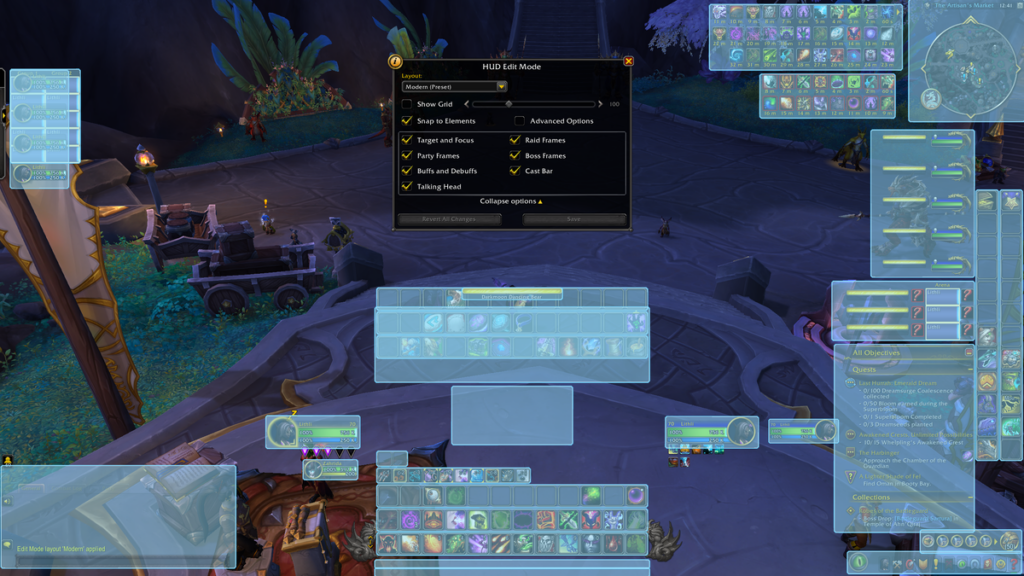
    WoW UI Edit Mode

    Retail players are already familiar with the built-in UI Edit Mode, and now it’s coming to the Burning Crusade Classic Anniversary Edition as a quality-of-life option.

    • Move and reposition UI elements on a grid for better alignment.
    • Create cleaner, more readable layouts without relying purely on addons.
    • Combine Edit Mode with your favorite addons for a finely tuned interface.

    i

    Perfect for Minimal UI Fans

    If you enjoy a clean, minimal interface and only want a few key addons, Edit Mode gives you enough flexibility to build a modern-looking UI with almost no extra bloat.


    Guild Bank Available from the Start

    Guild Bank TBC Anniversary Edtion

    Originally introduced in Patch 2.3, the Guild Bank is now available right from the start in the Anniversary Edition. This is a huge quality-of-life improvement for raid guilds, social guilds, and anyone trying to organize consumables, crafting materials, or guild funds.

    • The Guild Bank is found inside the regular bank, accessible via the vault near the bankers.
    • There are eight purchasable tabs, each with 98 item slots.
    • No bags are needed for these slots.
    • The first tab costs 100 gold, with prices increasing for subsequent tabs.
    • Guild masters can fine-tune permissions per tab for both items and gold.

    Whether you’re stocking flasks for progression or storing crafted gear for alts, having a Guild Bank from day one makes TBC guild life significantly smoother.


    PTR & What Might Come Next

    The Burning Crusade Anniversary PTR is opening, and Blizzard has already hinted that more changes could still be on the way. Players are speculating about potential extra adjustments:

    • Further raid tuning passes or boss adjustments
    • Improved profession catch-up mechanics
    • Additional quality-of-life tweaks for dungeons and grouping
    • Minor class tuning or bugfixes based on PTR feedback

    For now, we know that the Anniversary Edition is bringing a mix of nostalgia and modernization, keeping the heart of TBC while smoothing out some of its rougher edges.


    A Modern Take on a Classic Expansion

    Account-wide attunements, raid-wide Heroism/Bloodlust, a better herb economy, integrated UI customization, and Guild Banks from day one – the Burning Crusade Classic Anniversary Edition is clearly aiming to be the most playable and alt-friendly version of TBC yet.

    As Blizzard continues to iterate on the PTR, we’ll keep an eye on new Blue Posts, changes, and discoveries and share the most important updates here on WoWClassicUI – especially anything that affects your UI, raid setup, and gameplay experience.

    References:

  • WoW Classic Burning Crusade Anniversary – The Dark Portal Reopens January 13

    WoW Classic Burning Crusade Anniversary – The Dark Portal Reopens January 13

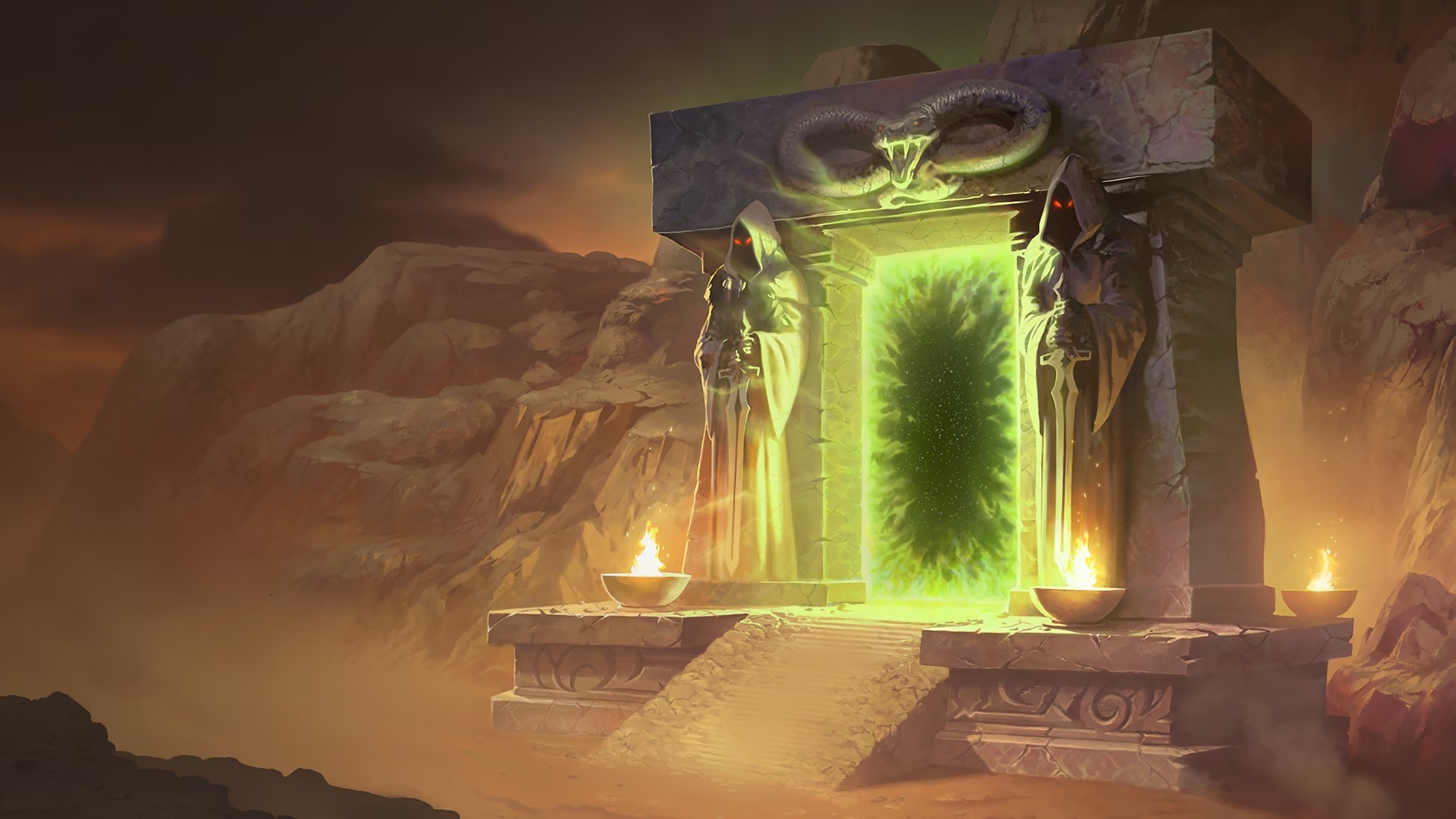
    The Burning Legion stirs once more… and Azeroth’s heroes are being called back through the Dark Portal. Blizzard has officially announced that the WoW: Burning Crusade Classic Anniversary Edition Pre-Patch will arrive on January 13, marking the beginning of a new journey into Outland for Classic players—one included entirely with your WoW Subscription or Game Time.

    This Anniversary Edition isn’t just a nostalgic return—it’s a celebration of one of World of Warcraft’s most iconic eras, enhanced and re-introduced for 2025/2026 players. The moment maintenance wraps up on January 13 in each region, every character will have a choice: advance to Burning Crusade Classic Anniversary, or transfer for free to a Classic Era realm for a limited time.

    As the gateway to Outland creaks open once more, here’s everything waiting on the other side.


    W

    A New Era Begins – Level 70, Faster Cadence, and New Adventures

    The Anniversary Edition brings a full leveling increase to 70, a more modernized level curve, and many of the systems that defined TBC’s identity.

    The Exiled world of Outland returns exactly as veterans remember it: Hellfire skies torn apart by fel flames, floating shards of Nagrand, alien forests, and crystalline Draenei temples. Heroes level 60 and above can once again unite against the Burning Legion and push back demonic forces threatening the fate of Azeroth.

    This version is polished, faster, but still faithful—every zone, dungeon, and world PvP encounter carries the same atmosphere as it did all those years ago.


    W

    Blood Elves & Draenei Join the Fight

    Two iconic races return for the Anniversary Edition:

    Blood Elves – “Remember the Sunwell”

    Survivors of the Third War, the Blood Elves seek vengeance against the Legion that shattered their homeland. They bring unique racial abilities and unlock the long-awaited Horde Paladin class. Blood Elves can play Mage, Hunter, Rogue, Priest, Warlock, and Paladin.

    Draenei – “Gifted Exiles of the Naaru”

    Hunted across worlds by the Legion, Draenei crash-land on Azeroth and bolster the Alliance with powerful magic and otherworldly technology. They bring the Shaman class to the Alliance for the first time and receive bonuses to the newly introduced Jewelcrafting profession.

    Both starting zones—Azuremyst Isle and Eversong Woods—are fully available during the Pre-Patch, letting players begin their adventures before ever stepping into the Dark Portal.


    W

    Karazhan, Gruul, Magtheridon – Raids That Defined a Generation

    Three legendary raids will be part of the Anniversary Edition launch content:

    Karazhan
    Medivh’s haunted tower, arguably one of WoW’s most beloved raids. Ghostly nobles, enchanted operas, and the secrets of the Last Guardian await brave adventurers.

    Gruul’s Lair
    Home of the colossal Gruul the Dragonkiller. His clan terrorizes the Blade’s Edge Mountains, and his crushing blows are feared by all.

    Magtheridon’s Lair
    Once the ruler of Outland, now imprisoned beneath Hellfire Citadel. Magtheridon’s desperate roars echo through caverns as he gathers strength to break free again.

    These raids are carefully tuned to feel challenging without deviating from their original roots.


    W

    PvP Arena Season 1 – A New Battleground for Glory

    TBC’s most competitive feature returns exactly as old-school gladiators remember it.

    Season 1 brings:

    • Nagrand Arena
    • Blade’s Edge Arena
    • Ruins of Lordaeron

    Climb the ladder with your team to earn gear, titles, mounts, and bragging rights. No Honor ranking system—pure Arena competition.


    W

    Take Flight – Flying Mounts Return

    One of the most transformative features in WoW’s history makes its comeback: flying in Outland.
    From the storm-wracked cliffs of Blade’s Edge to the floating islands of Netherstorm, the skies are finally yours again.

    Unlock your flying skill at level 70 and soar into zones previously unreachable on foot.


    W

    A New Profession: Jewelcrafting

    Jewelcrafting debuts with the Anniversary Edition, letting players craft powerful rings, trinkets, necklaces, statues, and—most importantly—gems that slot directly into gear.

    Master Jewelcrafting trainers:

    • Horde: Kalaen – Thrallmar
    • Alliance: Tatiana – Honor Hold

    Draenei receive a passive bonus that helps them excel naturally at this profession.


    W

    Guild Banks – Right From Launch

    Unlike the original Burning Crusade Classic, Anniversary players get Guild Banks immediately.
    Eight upgradeable tabs, 98 slots each, gold storage, customizable permissions—everything your guild needs to stay organized for progression night.

    No more bag-mailing items across officers or drowning in alt banks.


    W

    Free Transfers Back to Classic Era (Limited Time)

    Players who prefer to remain in Classic instead of crossing into Outland will have free character transfers from Anniversary realms to Classic Era realms beginning November 25, ending January 12, 2026.

    After that date, all remaining Anniversary characters will automatically progress into Burning Crusade Classic Anniversary.

    If you want to stay in pure Classic… now is the time to decide.


    W

    The Dark Portal Awaits

    The fate of Outland hangs in the balance once again. Whether you’re returning to relive unforgettable memories or experiencing Burning Crusade for the first time, the Anniversary Edition is bringing one of WoW’s most iconic adventures back to life—polished, faithful, and ready for 2026.

    Sharpen your blades, prepare your spellbooks, and gather your guild.

    On January 13, the journey begins.
    Outland is calling.