Author: wcui

  • Mists of Pandaria Classic Patch Notes – Version 5.5.3

    Mists of Pandaria Classic Patch Notes – Version 5.5.3

    The storm has returned to Pandaria — and with Patch 5.5.3, adventurers are stepping into one of the most ambitious content drops of the Mists of Pandaria Classic era. New zones, new world bosses, a massive new raid, Challenge Mode Platinum medals, and the continuation of Wrathion’s legendary questline all await both factions.

    Whether you’re setting sail for the Isle of Thunder, hunting colossal dinosaurs on the Isle of Giants, or pushing for leaderboard-worthy Challenge Mode runs, this update reshapes nearly every corner of end-game gameplay.


    🌀 A Thunderstorm Over Pandaria

    Patch 5.5.3 brings two new explorable zones — the Isle of Thunder and the Isle of Giants — each packed with new dailies, events, creatures, secrets, mounts, and world bosses. The conflict between the Kirin Tor Offensive and the Sunreaver Onslaught escalates as both factions race to shut down Lei Shen’s growing power.

    Meanwhile, Wrathion continues his search for answers deep within the Throne of Thunder… and he’s ready to recruit heroes brave enough to face the Mogu and their Zandalari allies once again.

    ⚡ Throne of Thunder: A 12-Boss Epic

    One of the most iconic raids in modern WoW returns in full force. With 12 encounters — and a hidden 13th for heroic conquerors — the Throne of Thunder is the central pillar of this patch’s PvE experience.

    Reputation with the Shado-Pan Assault is now tied exclusively to raid progression, opening the door to powerful Valor rewards and raid-ready gear upgrades.

    🦖 Isle of Giants & New World Bosses

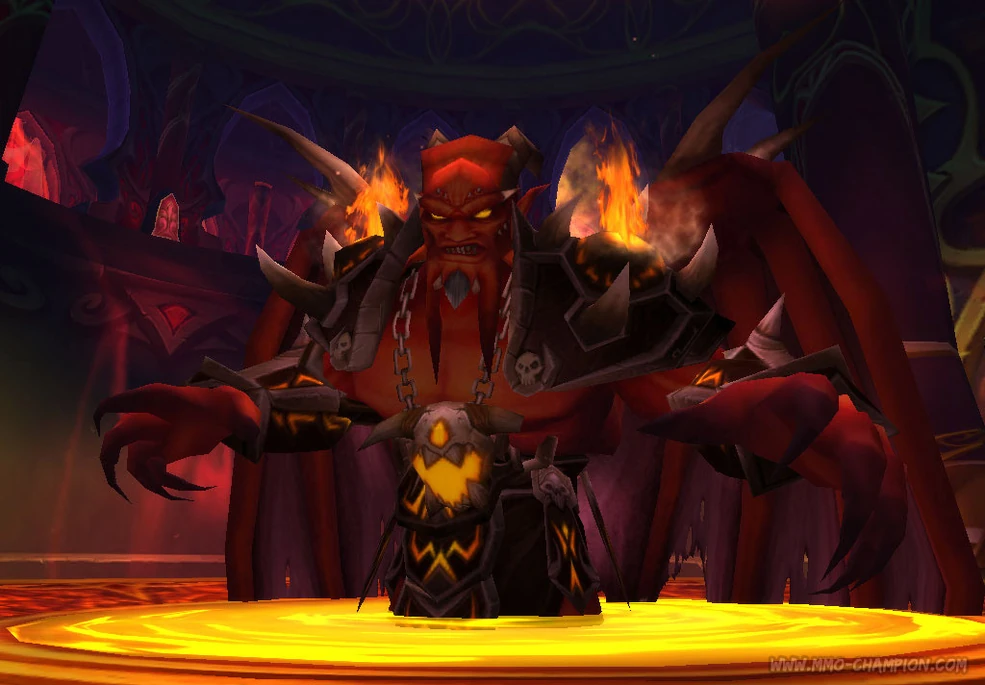
    Far to the north of Kun-Lai Summit, the Isle of Giants emerges from the mists, teeming with primal devilsaurs, direhorns, and skyscreamers. The Zandalari have armed their greatest champion — Oondasta — while Nalak, the Storm Lord waits as the gate guardian of Lei Shen’s citadel.

    Prepare your raid group, your drums, and your repair bills — these world bosses are designed to test even the most coordinated groups.

    🔥 Legendary Questline Progression

    The Black Prince’s campaign continues as Wrathion digs deeper into the secrets of Mogu power. Heroes will venture into the depths of the Thunder King’s palace and unlock access to a new legendary metagem, the Crown of Heaven.

    Players who missed earlier stages of the quest or need to reacquire rewards such as Sha-touched gems can now purchase them from a new Blacktalon Quartermaster.

    🌾 Taking Over the Farm

    If you fell in love with working the land in Pandaria, Patch 5.5.3 finally lets you take over Sunsong Ranch. Once you’ve reached Exalted with the Tillers and unlocked all 16 plots, you can acquire the farm from Farmer Yoon via a quest.

    Your farmhouse becomes a proper rest area, complete with the ability to bind and instantly log out, and you’ll start receiving faction work orders that reward reputation when completed.

    ⚔️ Class Tuning & PvP Adjustments

    Patch 5.5.3 introduces a wide pass of tuning across nearly every class, especially around the balance point created by Throne of Thunder gear. Many MoP-era buffs are partially rolled back or smoothed out, bringing damage, mitigation, and healing closer to their intended targets.

    In PvP, systems such as Battle Fatigue, item level caps, and Base Resilience are adjusted to more closely resemble Season 13, helping restore the feel and pacing of original Mists arenas and battlegrounds.

    🏆 Challenge Modes: Introducing Platinum

    Challenge Modes now go beyond Gold with the introduction of the Platinum medal. This new tier rewards Valor, extra cosmetics, and a new currency — Platinum Coins — which can be exchanged for transmogs, toys, mounts, and more.

    Each dungeon also gains a unique Platinum-only toy, usable inside Challenge Modes, and the fastest players in each season can earn exclusive titles and mounts for their remarkable times.


    📜 Full Patch Notes (Expandable)

    New Zone: Isle of Thunder

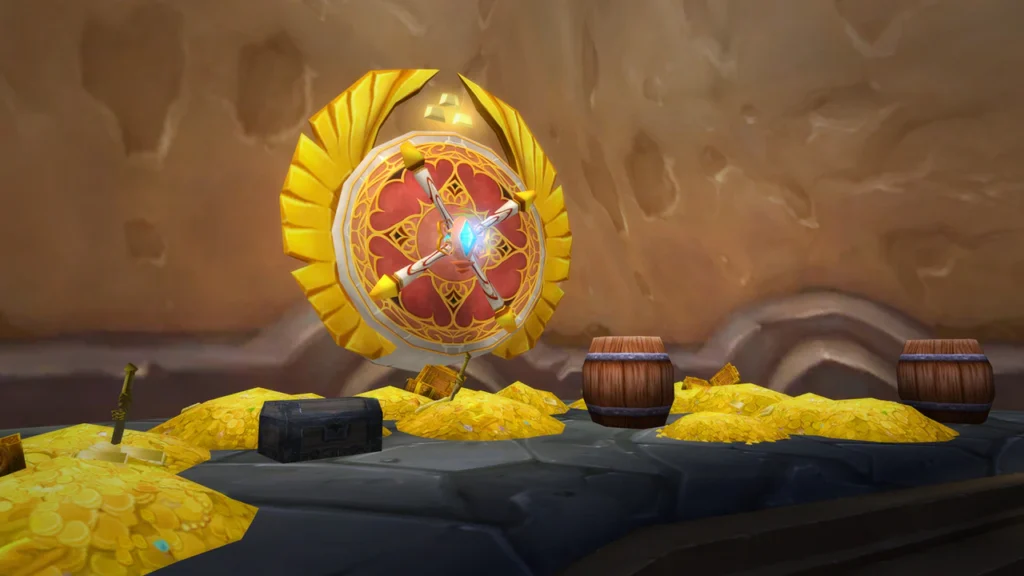
    Join the assault to conquer Emperor Lei Shen’s island stronghold, unlock new questlines and daily quest hubs, and participate in special events. Earn the right to visit the fabled Treasure Room, and lay claim an arsenal of powerful Mogu artifacts for their faction.

    Each faction’s finest are spearheading the assault: the Kirin Tor Offensive led by Jaina Proudmoore and the Sunreaver Onslaught led by Lor’themar Theron.

    • Earning reputation with these new factions offers heroes the opportunity to receive new quests and reputation rewards, including powerful items and an intimidating new mount.
    • After both the Alliance and the Horde have eked out a foothold on the isle, players can choose to perform quests that are PvE or PvP focused.
    • PvP quests will direct players against opposing faction NPCs, but slaying opposing players will grant credit as well.

    Conquer the Isle to unlock the powerful Lightning Forge, which will allow Blacksmiths to forge mighty raid-worthy items, as well as classic weapons from the past.

    • Join the war effort and find transportation to Isle of Thunder by visiting the Shado-Pan Garrison in Townlong Steppes on the western shores of Pandaria.
    • The Isle of Thunder will be unlocked progressively week by week. Initially only some of the Isle’s features will be unlocked. Future unlocked content will include the Stormsea Landing and the outdoor raid boss, Nalak, the Storm Lord.
    • A Key to the Palace of Lei Shen can be brought to the Shado-Pan on the Isle of Thunder and used to infiltrate the fabled treasure vaults of the first emperor.
      • Heroes are tasked with grabbing as much loot as they can within five minutes.
      • Larger chests will have the most loot, including special keys that can be used at the end of the run for a chance at epic gear and other major rewards.
      • Keys are awarded from rare mobs, hidden chests around the island, and from award satchels obtained by completing daily quests.

    New Raid: Throne of Thunder

    Lei Shen, the Thunder King, has returned to take vengeance on Pandaria. The heroes of the Alliance and the Horde must stop the newly resurrected tyrant and his Zandalari allies in the massive new raid: Throne of Thunder.

    Throne of Thunder is a sprawling citadel with 12 new raid encounters. Players that defeat Emperor Lei Shen in Heroic mode can earn the opportunity to face an additional 13th foe.

    Join the Shado-Pan Assault in their singular drive to see The Thunder King defeated once and for all, and gain access to impressive Valor reward items. Reputation with this faction can only be earned in the Throne of Thunder raid dungeon.

    Ao Pye at Niuzao Temple in Townlong Steppes offers Shado-Pan Assault faction gear Valor points. Teng of the Flying Daggers, the other Shado-Pan assault quartermaster, can be found underneath the Conqueror’s Terrace on the Isle of Thunder.

    New Zone: Isle of Giants

    A new island has appeared in the mists. Isle of Giants has an assortment of primal devilsaurs, direhorns, and skyscreamers increased by the Zandalari Trolls. Players who dare venture through the fatiguing waters north of Kun-Lai Summit will be rewarded with the opportunity to battle dinosaurs, collect bones, and obtain new pets and mounts. Hunters also have a chance to find an Ancient Tome of Dinomancy, allowing them to tame their own Direhorn.

    New World Bosses: Oondasta and Nalak, the Storm Lord

    After the Isle of the Thunder King has been conquered, the gate guardian of the Thunder King’s citadel will appear. Test your mettle against Nalak, the Storm Lord.

    Found in a place that has been lost in time, the great devilsaur lord Oondasta has been outfitted for battle with weaponry and armor by the Zandalari. He awaits players brave enough (or foolhardy enough) to seek him out on the mysterious Isle of Giants found in the seas north of Kun-Lai Summit.

    Legendary Questline Continues

    Wrathion is determined to know the origin and source of Mogu power, and Azeroth’s mightiest heroes will aid the Black Prince in finding out what it is. The search for information will take players into the depths of the Thunder King’s Palace to face trials of perseverance and skill. Along the way, unlock the secrets to a new legendary metagem, the Crown of Heaven.

    • Players seeking to re-acquire previous Legendary quest rewards (Such as gems for Sha-touched weapons) can now speak with the Blacktalon Quartermaster, the surly-looking Pandaren standing in the first floor of the Tavern in the Mists.

    Taking over the Farm

    Players who have grown attached to working the land at Sunsong Ranch can now acquire the farm from Farmer Yoon via a quest.

    • The farmhouse becomes a rest point like an Inn, where the player can bind and instantly log out.
    • Work orders will pour into the farm from factions across Pandaria, and completing a work order will earn a reputation boost with the issuing faction.
    • The option to take over the farm is available to characters that are exalted with the Tillers and have unlocked all 16 farm plots.

    New Changes

    Thunderforging

    Non-Thunderforged items will be upgradeable twice for 3 items level each time, totaling an increase of 6 item levels.

    • These upgrades will cost 250 Valor Points each (500 total).
      • These upgrades are only available for the first 4 weeks of Throne of Thunder.
      • When the 5th reset occurs, on the week of January 6, 2026, these will swap over to the current 5.5.2 cost for epic item upgrades of 1000 Justice Points each (2000 total).

    Classes

    Death Knight

      • Raise Ally no longer costs Runic Power (was 30).
      • Blood
        • Now gains Residual Blood after using Death Strike during the Ra-den encounter. Residual Blood lasts for 3 seconds and counts as an Active Mitigation effect for the purposes of the Fatal Strike mechanic.
        • 5.5.0 %damage reduction added to Blood Presence decreased to 0% (was 2%).
        • Death Strike now additionally heals the Death Knight for 5% of their attack power.
          • This allows Blood Death Knight’s Vengeance to help scale their mitigation like other tanks. This is being introduced at a small% because it is affected by both Scent of Blood stacks, and Mastery: Blood Shield.
        • Raise Dead for Blood Death Knights now correctly benefits from Vengeance attack power.
          • This was erroneously only partially removed in 5.5.0.
        • Mastery: Blood Shield is now correctly based on the amount healed by Death Strike including healing modifiers.
          • This behavior is isolated to PvE and only affects positive healing modifiers. This is to prevent changing the behavior of Mastery: Blood Shield while under a negative healing modifier.
      • Unholy
        • Summon Gargoyle will no longer stutter its casts and will chain its casts back to back.
        • Summon Gargoyle can now cast up to 26 Gargoyle Strikes before it is dismissed.
          • Under the original MoP rules, players only got 25 to 26 Gargoyle Strikes. A bug emerged where being at a certain level of haste would actually decrease the amount of Gargoyle Strikes that went out. In order to fix this, we removed the cast gating on the ability that was present in original MoP, but introduced a hard cap on how many strikes can be cast to keep the upper limit the same.

    Druid

      • Balance
        • 5.5.0 %damage increase while in Moonkin Form increased to 20% (was 10%).
          • This is an increase compared to PTR and a decrease compared to pre-Throne of Thunder values.
        • 5.5.0 damage increase to Force of Nature decreased to 5.1% (was 3.64% on PTR, 9.1% pre-Throne of Thunder).
      • Feral
        • 5.5.0 %damage increase to Savage Roar decreased to 3% (was 0% on the PTR, and 5% pre-Throne of Thunder).
      • Guardian
        • 5.5.0 damage increase while in Bear Form decreased to 8% (was 15%).
      • Restoration
        • Meditation’s in combat Mana Regeneration from Spirit increased to 55% (was 50%).

    Hunter

      • Survival
        • 5.5.0 reduction to Explosive Shot damage decreased to 0% (was 5%).

    Mage

      • Arcane
        • 5.0 damage increase to Arcane Blast decreased to 5% (was 15%).
        • 5.0 damage increase to Arcane Barrage decreased to 5% (was 19%).
        • 5.0 damage increase to Arcane Missiles decreased to 5% (was 15%).
      • Fire
        • 5.0 damage increase to Pyroblast decreased to 15% (was 30%).
        • 5.0 increase to Critical Mass’s value decreased back to the 5.4.8 value of 1.3x (was 1.5x).
      • Frost
        • 5.1 damage increase to Frostbolt decreased to 5% (was 15%).
        • 5.1 damage increase to Frostfire Bolt decreased to 5% (was 15%).
        • 5.1 damage increase to Ice Lance decreased to 5% (was 15%).

    Monk

      • Windwalker
        • The base %damage value on Tigereye Brew per stack increased to 5% (was 3.5%).

    Paladin

      • Hand of Sacrifice no longer causes a Global Cooldown (new).
      • Protection
        • Grand Crusader has been changed to its Patch 5.2.0 version.
        • Grand Crusader now has a 12% chance to activate when the Paladin dodges or parries a melee attack, or lands a Crusader Strike or Hammer of the Righteous (was 30% chance on dodge or parrying a melee attack).
        • 5.5.0 increase to Seal of Insight attack speed, decreased to 5% (was 10%).
      • Retribution
        • 5.5.0 damage increase to Templar’s Verdict increased to 27% (was 20%).
        • 5.5.0 damage increase to Crusader Strike, Exorcism, Judgment, Divine Storm, Hammer of the Righteous, and Hammer of Wrath increased to 20% (was 10%).

    Priest

      • Holy
        • 5.0 reduction to Divine Hymn’s healing increased to 50% (was 35% reduction).
        • 5.0 reduction to the cooldown of Chakra’s increased to 25 seconds off (was 20 seconds off).
        • 5.0 reduction to Divine Hymn’s healing increased to 50% (was 35% reduction).
        • 5.0 reduction to the cooldown of Chakra’s increased to 25 seconds off (was 20 seconds off).
        • Healing done by Divine Star decreased by 15% (new).
        • Prayer of Healing’s base cast time is decreased by 0.5 sec for Holy Priests (new).
        • Prayer of Healing’s healing increased by 15% (new).
        • Prayer of Mending no longer counts as an Area of Effect heal for Chakra: Sanctuary (new).
        • Renew duration increased by 3 seconds for a total of 15 seconds (was 12 seconds) (new).
          • This also increases the amount of direct healing from Rapid Renew.
        • Fixed a bug where Chakras were not providing their full 35% bonus to both Renew and Prayer of Mending. (BUG FIX)
        • Prayer of Mending now counts as a single-target heal for Chakra: Serenity (new).
          • Prayer of Mending’s aura landing on a target will trigger the refreshed duration on Renew. It will not refresh the renew when it heals or bounces.
        • Lightwell Renew and Lightspring Renew now benefit from Chakra: Serenity (new).
      • Shadow
        • 5.5.0 damage increase to Shadow Word: Pain decreased to 7% (was 18%).
        • 5.5.0 %damage increase while in Shadowform decreased to 7% (was 10%).

    Shaman

      • Elemental
        • 5.5.0 increase to Lightning Bolt decreased to 5% (was 20%).
        • 5.5.1 increase to Chain Lightning decreased to 0% (was 10%).
        • 5.5.1 increase to Fulmination decreased to 0% (was 10%).

    Warlock

      • Affliction
        • 5.0 damage increase to Corruption decreased to 0% (was 20%).
        • 5.0 damage increase to Agony decreased to 0% (was 5%).
        • 5.0 damage increase to Drain Soul’s DoT triggers decreased to 20% (was 40%).
        • 5.0 damage increase to Malefic Grasp’s DoT triggers decreased to 10% (was 20%).
        • 5.0 damage increase to Drain Soul decreased to 20% (was 25% on PTR, 50% pre-Throne of Thunder).
        • 5.0 damage increase to Malefic Grasp decreased to 15% (was 25% on PTR, 50% pre-Throne of Thunder).
      • Demonology
        • 5.0 damage increase to Bane of Doom decreased to 25% (was 50%).
        • 5.0 damage increase to Hellfire decreased to 10% (was 25%).
        • 5.0 damage increase to Immolation Aura decreased to 10% (was 25%).
        • 5.1 damage increase to Soul Fire decreased to 10% (was 20%).

    Warrior

      • The 4-piece Throne of Thunder damage Tier Set is now activated by Recklessness (was Skull Banner).
      • Fury
        • 5.5.0 increase to Enrage and Berserker Rage duration decreased to 0 seconds (was 2 seconds).
      • Protection
        • 5.5.0 increase to Shield Barrier’s attack power ratio decreased to 0% increase (was 11% increase).
          • This places Shield Barrier back to its 5.4.8 ratio of 1.8x instead of 2.0x.

    All class changes above are ineffective in PvP.

    Player versus Player

      • Battle Fatigue, Maximum Item Level, and Base Resilience in the open world and in 3v3 Arenas have all been changed to their original Season 13 values.
        • 2v2 adjusted to -1% Base Resilience and 5v5 adjusted to +1% Base Resilience for the brackets.
      • Conquest gain from 5v5 increased by 60%.
      • Rating requirements for Tyrannical enchant removed and a base version of the enchant implemented.
      • Conquest requirements and Conquest costs for Tyrannical Primal Diamond removed and replaced with an Honor cost.

    Legendary Questline

    • End bosses in Celestial Dungeons now have a chance to drop both a Sigil of Wisdom and a Sigil of Power.
      • Previously, bosses were assigned a specific sigil they could drop.
    • Secrets of the Empire now have a chance to drop from Celestial Dungeon End Bosses.
    • Titan Runestone have a chance to drop from Celestial Dungeon end bosses.
    • During the Throne of Thunder phase of Celestial Dungeons, Sigils of Power and Sigils of Wisdom cost 30 August Stone Shards (was 60 August Stone Fragments).
    • Secrets of the Empire can be purchased and costs 10 August Stone Shards.
    • Titan Runestone can be purchased and costs 30 August Stone Shards.
    • Heart of the Thunder King can be purchased and costs 70 August Stone Shards.
    • For the Battleground quest, players are now required to play in a Temple of Kotmogu and Silvershard Mines Battleground (was win in a Temple of Kotmogu and Silvershard Mines battlegrounds).

    Celestial Mode Dungeons

    Avoid the Thunder King’s traps and petition the Celestials for new, more powerful blessings to survive the challenges ahead.

      • Might of the Thunder King: Enemies in the Celestial Dungeons will have the following buffs.
        • Damage increased by 35%
        • Health increased by 125%
      • Lightning Traps: Players will need to avoid cycling lightning traps throughout the dungeons.
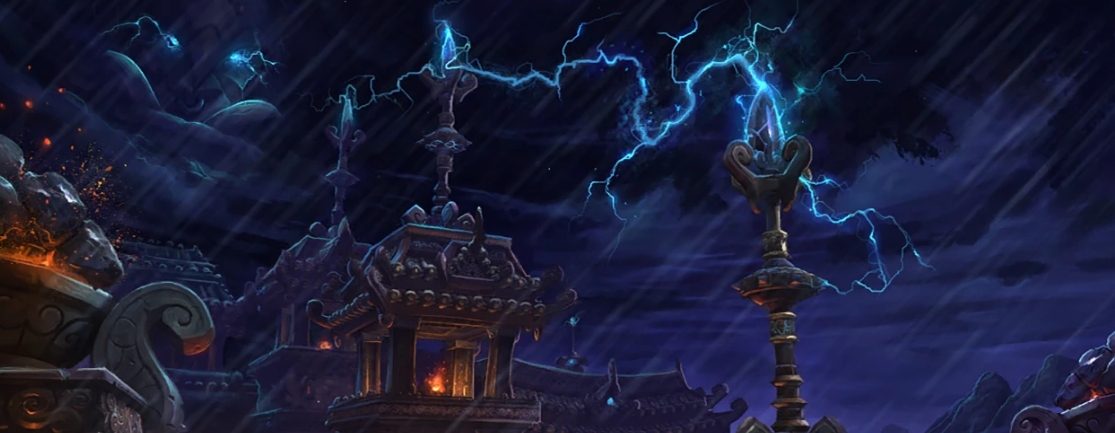
      • Thunderstorms: All dungeons will experience new weather as a powerful thunder storm takes over.
      • Summon the Storm: Every 60 seconds, a boss is influenced by Lei Shen, the Thunder King, and will use one of the 3 new lightning based abilities.

    Each of the Celestials will gain an additional buff as part of their blessing. While in combat the power of the Celestial slowly charges, and will allow players to summon a servant of their chosen Celestial to cast an ability to assist them.

      • Power of Chi-Ji: An avatar will bestow a weakened version of Blazing Song to all allies.
      • Power of Yu’lon: An avatar of Yu’lon will breathe Jadefire on nearby enemies and amplify all Magic damage done by players for a short duration.
      • Power of Niuzao: An avatar of Niuzao will cause an earthquake, repeatedly stunning nearby enemies and increasing all Physical damage they take for a short duration.
      • Power of Xuen: An avatar of Xuen will create a lightning vortex at its location pulling all nearby enemies to its location and granting all allies a weakened version of Spectral Ferocity.

    Celestial Dungeons will begin the week of December 16, 2025, with the weekly reset in each region.

    Challenge Mode Dungeons

    There is now a new challenge for Challenge Modes, the Platinum medal. This medal exists above Gold, and its structure is similar to Bronze, Silver, and Gold. Platinum rewards Valor and some additional rewards for each instance completed within the time limit. There are achievements associated with the Platinum medals.

      • Challenge Conqueror: Platinum (Season 1)
      • Challenge Conqueror: Platinum (Season 2)
      • Challenge Conqueror: Platinum (Season 3)
      • Realm First! Challenge Conqueror: Platinum (Season 2)
      • Realm First! Challenge Conqueror: Platinum (Season 3)

    Each dungeon now has a unique toy themed around that dungeon that is awarded with the Platinum achievement. These toys are only usable in Challenge Modes, and each may be used in any Challenge Mode.

      • Temple of the Jade Serpent: Platinum Boots of Expeditious Retreat
      • Stormstout Brewery: Platinum “Little Ale”
      • Gate of the Setting Sun: Platinum Rod of Ambershaping
      • Shado-Pan Monastery: Platinum Potion of Invisibility
      • Siege of Niuzao Temple: Platinum Amber
      • Mogu’shan Palace: Platinum Battle Horn
      • Scholomance: Platinum Vial of Polyformic Acid
      • Scarlet Halls: Platinum Battle Banner
      • Scarlet Monastery: Platinum Sacrificial Dagger

    Platinum Coins

    Beginning in 5.5.3, the Challenge Conqueror achievements will award Platinum Coins, a new currency. This currency allows you to purchase some new Transmog items, Toys, Mounts, and Tabards.

      • These items are available to purchase in Shrine of the Two Moons, and Shrine of Seven Stars.
      • Any timed Platinum runs will award two additional Platinum coins.

    Leaderboard

    Players who obtained a faster Platinum time (referred to as “Remarkable” times in achievement descriptions) for each seasonal dungeon are awarded a Title and Mount. When 5.5.3 is live in each region, the rewards for players who meet this criteria should immediately have access to their new Title and Mount.

    • Season 1
      • Title: The Mistwalker,
      • Mount: Reins of the Celestial Tiger
    • Season 2
      • Title: Mistborne
      • Mount: Reins of the Black Kor’kron Proto-drake
    • Season 3
      • Title: Heir to the Mist
      • Mount: Revealed at the start of Season 3

    Remarkable times for each dungeon

    • Temple of the Jade Serpent: 8:00
    • Stormstout Brewery: 6:15
    • Gate of the Setting Sun: 5:15
    • Shado-Pan Monastery: 10:00
    • Siege of Niuzao Temple: 9:45
    • Mogu’shan Palace: 6:20
    • Scholomance: 6:45
    • Scarlet Halls: 4:00
    • Scarlet Monastery: 5:15

  • WoW Classic Players Want a “Forever Home” – And Blizzard Is Listening

    WoW Classic Players Want a “Forever Home” – And Blizzard Is Listening

    After years of seasonal realms, progression reruns, and temporary experiments, WoW Classic players are increasingly asking Blizzard for a real “forever home” for their characters and communities. A recent player letter to Game Director Ion Hazzikostas sparked fresh discussion when Blizzard acknowledged that the team is aware of this request and is actively thinking about the long-term future of Classic.

    Instead of endlessly hopping from one seasonal realm or expansion cycle to another, many Classic fans want a stable place to settle down, build guilds, and invest time without worrying that their realm will eventually be retired or forced into the next era.

    What Does a “Forever Home” Mean for Classic?

    When players talk about a “forever home” for WoW Classic, they usually mean a few key things:

    • Stable, long-term realms – Servers designed to stay online for the long haul, without scheduled shutdowns or forced progression.
    • Persistent characters – No need to transfer or reroll every time a new season or version appears; your main stays where it belongs.
    • Room for Classic-specific content – A place where Blizzard can experiment with Classic-focused features (new raids, systems, or balance changes) without wiping the slate clean.

    In past interviews, members of the Classic team have already hinted at the idea of Era-style servers or dedicated realms that could become a permanent home for certain rulesets or experimental mechanics, rather than purely seasonal content that disappears once a phase is over.

    Blizzard’s Response So Far

    The topic recently resurfaced when a Classic player wrote directly to Ion Hazzikostas to ask whether any long-term projects were planned for Classic beyond the usual progression cycles. The reply didn’t come with a full roadmap, but it did acknowledge that:

    • The team knows players are looking for a long-term future for Classic.
    • There is internal discussion about what that might look like.
    • Blizzard wants Classic to feel less like a temporary event and more like a stable home for those who prefer that style of WoW.

    That may not be the hard confirmation everyone is waiting for, but it is a clear sign that the “forever home” concept is on Blizzard’s radar — and that community feedback is having an impact.

    Why This Matters for the Classic Community

    For many players, WoW Classic isn’t just a side mode — it’s their main MMO. Guilds have rebuilt rosters, communities have formed around specific eras, and players have sunk hundreds (or thousands) of hours into characters they don’t want to abandon.

    A proper long-term home for Classic would:

    • Strengthen guilds and social ties by removing the constant fear that a realm will be retired.
    • Stabilize the in-game economy by keeping players and resources on the same long-running realms.
    • Make Classic more welcoming for returning players who just want to pick a server and stay there without needing to follow every new seasonal reset.

    On top of that, a clear long-term vision for Classic would help distinguish it from retail: one version of Azeroth focused on ongoing evolution and modern systems, the other centered on a more grounded, old-school MMO experience with its own path forward.

    What’s Next?

    Right now, Blizzard hasn’t officially unveiled a detailed plan or roadmap that answers every question about Classic’s future. But between community posts, interviews, and this recent exchange with Ion, one thing is clear: the team knows players want a permanent home and is actively exploring what that could become.

    Until we get a full announcement, Classic players will keep theorycrafting possible outcomes: expanded Era realms, hybrid seasonal/permanent models, or even brand-new Classic-only features meant to live on stable servers instead of temporary ones.

    Whatever form it takes, a “forever home” for WoW Classic would be a huge milestone for the game’s legacy community — and something many of us at WoWClassicUI will be watching very closely.

    Sources & Further Reading

    For players who want to dig deeper into the discussion and Blizzard’s recent statements, here are a few useful links:

  • Hotfixes for Mists of Pandaria Classic – November 26, 2025

    Hotfixes for Mists of Pandaria Classic – November 26, 2025

    Preparation Continues Ahead of Phase 3 Launch

    Blizzard has deployed a new round of hotfixes for Mists of Pandaria Classic on November 26, 2025, bringing important corrections and tuning changes as players gear up for the arrival of Phase 3.
    These updates fix several vendor issues and ensure players can finally purchase items that were previously unavailable.

    Source:
    Hotfix Notes – November 26: Blizzard News
    Phase 3 coverage: Mamytwink


    What’s Been Fixed?

    ✔ Vendor Loot Corrections

    The major highlight of this hotfix cycle is the fix to PvP vendor inventories:

    • Armsmaster Holinka and Roo Desvin once again correctly sell the Wyrmhide Gladiator set.
    • Players who were previously blocked from completing their sets should now find the full inventory as intended.

    This resolves a long-standing frustration for PvP-focused players, especially those preparing for the gear curve shift expected in Phase 3.


    Phase 3 Is Coming — Time to Prepare

    With Phase 3 set to introduce major content — including new zones, world bosses, updated challenge modes, and the Throne of Thunder raid — the current hotfix push is clearly part of Blizzard’s pre-patch stabilization work.

    Read more on our Phase 3 release blog post.

    Here’s why this matters:

    • New zones incoming: Isle of Thunder & Isle of Giants
    • World bosses: Nalak, Oondasta, and more
    • Gear progression: Thunderforged item upgrades
    • New raid: Throne of Thunder (ToT)
    • Seasonal challenge modes with rewards and timed runs

    Now is the perfect time to optimize your characters: refill consumables, refine builds, and coordinate with your guild for the first week of Phase 3.


    What You Should Do Right Now

    • Check vendor inventories — missing pieces may now be available.
    • Prep your characters — especially if you plan to jump into early ToT progression or world-boss farm groups.
    • Coordinate with your guild — plan rosters, professions, consumables, and weekly goals.
    • Follow upcoming notes closely — Phase 3 is expected to bring balance changes and tuning that affect multiple classes and roles.

    Key Dates

    • Latest hotfixes: November 26, 2025
      See Blizzard’s full notes
    • Phase 3 launch: Expected very soon
      (as covered by Mamytwink)
  • Create Your First Slash Command in WoW Classic (/hello)

    Create Your First Slash Command in WoW Classic (/hello)

    In the first part of this series, we built a tiny addon that prints a message when you log in. Now we’ll make it a bit more interactive by adding your first slash command: /hello.

    When you type /hello in chat, the addon will greet you by name. This is often the next step for new addon authors because slash commands are a simple way to trigger your code on demand.

    What Is a Slash Command?

    Slash commands are those chat commands that start with /:

    • /reload
    • /dance
    • /who
    • …and of course, custom ones like /hello.

    Addons can register their own commands and link them to Lua functions. When you type the command in chat, WoW calls the function you defined.

    Reusing the Same Addon Folder

    We’ll continue using the same addon from part 1:

    World of Warcraft\_classic_\Interface\AddOns\MyFirstAddon\

    You should already have:

    • MyFirstAddon.toc
    • main.lua

    We don’t need to change the TOC file for this step. All the magic will happen inside main.lua.

    Adding a /hello Command

    Open main.lua and start from what we had before:

    local frame = CreateFrame("FRAME")
    frame:RegisterEvent("PLAYER_LOGIN")
    
    frame:SetScript("OnEvent", function()
        print("|cfff4b034MyFirstAddon loaded successfully!|r")
    end)

    Now we’ll add a simple function and register a slash command.

    1. Write the Hello Function

    Add this below the existing code:

    local function MyFirstAddon_SayHello(msg)
        local playerName = UnitName("player")
    
        if msg and msg ~= "" then
            print("|cfff4b034[MyFirstAddon]|r Hello, " .. playerName .. "! You said: " .. msg)
        else
            print("|cfff4b034[MyFirstAddon]|r Hello, " .. playerName .. "!")
        end
    end

    What it does:

    • Gets your character name with UnitName("player").
    • If you type extra text after /hello, it prints that too. Example: /hello nice UI → “You said: nice UI”.

    2. Register the Slash Command

    WoW uses a global table called SLASH_<NAME><number> to connect slash commands with a handler function named SlashCmdList["NAME"].

    Add this under the function you just created:

    SLASH_MYFIRSTADDON1 = "/hello"
    
    SlashCmdList["MYFIRSTADDON"] = function(msg)
        MyFirstAddon_SayHello(msg)
    end

    This means:

    • /hello is now a valid command.
    • Whenever you type /hello, WoW calls the function registered in SlashCmdList["MYFIRSTADDON"].
    • We forward the message (msg) to MyFirstAddon_SayHello.

    Final main.lua Example

    Here’s the complete file so you can compare:

    -- Create a frame to listen to events
    local frame = CreateFrame("FRAME")
    frame:RegisterEvent("PLAYER_LOGIN")
    
    -- When the player logs in, print a message
    frame:SetScript("OnEvent", function()
        print("|cfff4b034MyFirstAddon loaded successfully! Type /hello to test it.|r")
    end)
    
    -- Our hello function
    local function MyFirstAddon_SayHello(msg)
        local playerName = UnitName("player")
    
        if msg and msg ~= "" then
            print("|cfff4b034[MyFirstAddon]|r Hello, " .. playerName .. "! You said: " .. msg)
        else
            print("|cfff4b034[MyFirstAddon]|r Hello, " .. playerName .. "!")
        end
    end
    
    -- Register the /hello slash command
    SLASH_MYFIRSTADDON1 = "/hello"
    
    SlashCmdList["MYFIRSTADDON"] = function(msg)
        MyFirstAddon_SayHello(msg)
    end

    Testing Your /hello Command In-Game

    1. Save main.lua.
    2. (Re)start WoW Classic or type /reload in-game.
    3. On login, you should see:

    MyFirstAddon loaded successfully! Type /hello to test it.

    4. In the chat window, type:

    • /hello
    • /hello this is my first addon

    You should see your greeting messages printed back to you.

    Troubleshooting

    • “Interface action failed because of an AddOn”
      There’s likely a syntax error. Check missing quotes, commas, or end.
    • /hello does nothing
      Make sure MyFirstAddon is enabled in the AddOns menu, and check that the slash name matches exactly: SLASH_MYFIRSTADDON1 and SlashCmdList["MYFIRSTADDON"].

    Where We Go From Here

    You now have:

    • A loading message on PLAYER_LOGIN
    • Your first custom slash command
    • A small reusable function (MyFirstAddon_SayHello)

    Next possible steps:

    • Add /hello help with a small help text
    • Register multiple commands (/hello and /hi)
    • Start creating a simple UI frame to display options instead of only using chat

    Stay tuned — your addon is starting to become interactive, and this is just the beginning of what you can build for your own WoW Classic UI!

  • How to Create Your First WoW Classic Addon: A Beginner-Friendly Introduction

    How to Create Your First WoW Classic Addon: A Beginner-Friendly Introduction

    So you want to create your first addon for WoW Classic? Great choice! Whether you’re looking to add a personal tweak to your UI, build a small quality-of-life feature, or one day release a fully-fledged addon to the community, the whole process is much simpler than it looks.

    This guide is a gentle introduction to the basics — no coding experience required. By the end, you’ll understand how addons are structured, where files go, what the essential components are, and how to prepare your very first working addon.

    What Exactly Is a WoW Addon?

    Addons are small modules written in Lua (a lightweight scripting language) and XML. They allow you to customize WoW’s interface, automate UI behaviors (not gameplay!), display additional information, improve usability, and more.

    They cannot perform rotation automation, botting, or anything that interacts with combat actions — but they can deeply enhance your interface and your overall experience.

    How Addons Are Structured

    Every addon is just a folder placed inside:

    World of Warcraft\_classic_\Interface\AddOns\

    Inside that folder, you typically have:

    • A .toc file — your addon’s “manifest” that tells WoW what files to load.
    • One or more .lua files — your code and logic.
    • (Optional) .xml files — frames, UI definitions, templates.
    • (Optional) Assets — icons, textures, images, sounds.

    A minimal addon contains only a folder + a .toc file + one Lua file.

    Creating Your First Addon (Step-by-Step)

    Let’s start with the simplest addon possible: something that prints a message when you log in.

    1. Create the Addon Folder

    Go to:

    World of Warcraft\_classic_\Interface\AddOns\

    Create a new folder called:

    MyFirstAddon

    (You can replace the name with anything — just avoid spaces.)

    2. Create the TOC File

    Inside the folder, create a file named:

    MyFirstAddon.toc

    Add this content:

    ## Interface: 11502
    ## Title: My First Addon
    ## Notes: A simple test addon for WoW Classic
    ## Author: YourName
    ## Version: 1.0
    
    main.lua

    Important: Update the Interface number for your version of WoW Classic (it changes every major patch). You can check it by looking at any other addon’s .toc file.

    3. Create Your First Lua File

    Now create the file referenced in the toc:

    main.lua

    Put this inside:

    local frame = CreateFrame("FRAME")
    frame:RegisterEvent("PLAYER_LOGIN")
    
    frame:SetScript("OnEvent", function()
        print("|cfff4b034MyFirstAddon loaded successfully!|r")
    end)

    Congratulations — you’ve just created an addon that loads and displays a message when the player logs in.

    Where to See (and Enable) Your Addon

    Start WoW Classic and go to the Character Select screen, then click AddOns in the lower-left corner.

    You should see My First Addon in the list. Make sure it’s enabled, then enter the game. After login, you should see your custom message in the chat frame.

    What You Just Accomplished

    You now understand:

    • Where addons are stored
    • How the .toc file works
    • How Lua code is loaded
    • How to respond to events (like PLAYER_LOGIN)
    • How to print and test basic behavior

    This is the foundation for everything else — frames, slash commands, data storage, UI widgets, and more.

    What’s Next?

    This introduction is the first part of a series. In the next guides, we’ll cover:

    • Adding slash commands (like /hello)
    • Creating your first frame with XML or Lua
    • Saving data between sessions (SavedVariables)
    • Debugging and structuring your addon project
    • Packaging your addon for CurseForge or Wago

    Stay tuned — your first tiny addon is just the beginning of what you can build for your own WoW Classic UI!

  • Blizzard Confirms: Mists of Pandaria Classic Phase 3 Launches on December 9, 2025

    Blizzard Confirms: Mists of Pandaria Classic Phase 3 Launches on December 9, 2025

    What’s New?

    The third phase of MoP Classic — dubbed “The Thunder King” — will go live on December 9, 2025 (3:00 PM Pacific Time). (Blizzard Watch)
    With it come major additions: two fresh zones (the Isle of Thunder and the Isle of Giants), world bosses, a new gear-upgrade system (“Thunderforging”), revamped challenge modes, and — most importantly — the new raid Throne of Thunder. (Blizzard Watch)

    What This Means for Players

    • New horizons — Explore the Isle of Thunder & Isle of Giants for the first time.
    • Epic challenges — Fight world bosses like Nalak, the Storm Lord and Oondasta, or dive into the Throne of Thunder raid with your guild.
    • Better loot — Thanks to Thunderforging, raid drops now have a chance to appear up to 6 item-levels higher than standard — a big upgrade boost.
    • Competitive edge — New challenge-mode timers, dungeons with Celestial mechanics and attractive seasonal rewards (mounts, titles, transmogs…) give motivation to both casual players and seasoned raiders.

    isle of thunder

    What We Recommend Doing Right Now

    • Start prepping your characters: check gear, professions, consumables — get ready for the incoming zone unlock.
    • Reach out to guildmates / friends: early January (post-release) will likely see lots of group activity — good time for raids or world-boss runs.
    • Keep an eye on community and official news: first patches often bring balance tweaks or bug fixes — valuable before committing to major runs.

    Mark Your Calendar!

    Phase 3 “The Thunder King” – Live on December 9, 2025

  • Top 10 Most Useful Addons for WoW Classic (2025 Edition)

    Top 10 Most Useful Addons for WoW Classic (2025 Edition)

    Addons are a huge part of the WoW Classic experience. Whether you’re leveling, raiding, farming, or simply organizing your bags, the right addons can dramatically improve your gameplay. In this guide, we highlight the Top 10 most essential and widely used addons for Vanilla, Season of Discovery, TBC Classic, Wrath Classic, and Cata Classic.

    This list covers UI upgrades, combat tools, quality-of-life improvements, and postbox utilities — everything you need for a polished Classic experience.


    1. Bartender – Complete Action Bar Replacement

    Bartender is the go-to action bar addon for WoW Classic, offering complete control over your bars: size, position, padding, visibility, paging, stance switching, and more. If you want a clean and modern UI, this is non-negotiable.

    i

    Why It’s Essential

    Bartender frees you from the rigid default action bars and allows you to build a custom layout that matches your playstyle perfectly.


    2. Quartz – Cast Bar Enhancer

    Quartz replaces the default cast bar with a clean, customizable, latency-aware cast bar that’s far easier to read. It also includes swing timers, target casting, and channeling modules.

    If you play a caster or melee DPS, Quartz is one of the most impactful addons you can install.


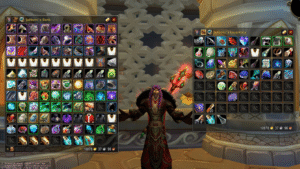
    3. Bagnon (or BankStack / Combuctor) – Bag Unification & Search

    Bagnon remains one of the most popular bag addons, merging all bags into a single clean window and adding sorting, search, and item-level coloring. If you prefer a more modern alternative, Combuctor is an excellent replacement with category filtering.

    i

    Suggested Setup

    Bagnon + BankStack if you want sorting, or Combuctor for a cleaner, retail-inspired inventory.


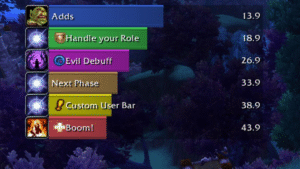
    4. BigWigs or Deadly Boss Mods – Boss Warnings

    Every raider uses either BigWigs or DBM (Deadly Boss Mods). These addons provide timers, alerts, sounds, and warnings for boss mechanics in raids and dungeons.

    • BigWigs → lighter, modular, highly customizable
    • DBM → more “out of the box,” easier for casual players

    Whichever you choose, they massively improve boss awareness.


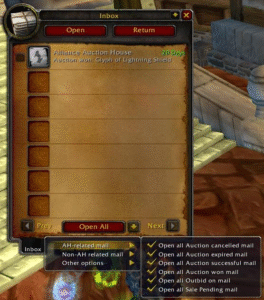
    5. Postal – Mailbox Quality of Life

    Postal makes mailing items effortless. It adds features like mass mail opening, remembering names, auto-filling items, and single-click operations — perfect for auction house users and alts.

    This is one of those addons you don’t think about until you try it, and then you can’t live without it.


    6. Details! – Damage Meter

    Details! is the gold standard for damage meters. It’s lightweight, flexible, and shows real-time DPS, HPS, interrupts, threat, dispels, deaths, and more. It also integrates beautifully with modern UI layouts.

    Perfect for raiders, dungeon runners, and anyone who wants to track performance.


    7. Plater or KuiNameplates – Nameplate Enhancements

    A good nameplate addon is essential for visibility and combat awareness. The two kings are:

    • Plater – extremely customizable, fantastic for tanks and Mythic-like visibility
    • KuiNameplates – clean, lightweight, great default look

    Both are miles better than the default nameplates and help with tracking casts, debuffs, and threat.


    8. Prat – Chat Enhancer

    Prat greatly improves the chat window with timestamps, colors, class icons, URL copying, channel formatting, and more. It cleans up the chatbox without overwhelming it with unnecessary fluff.

    If you type in chat often, or you want your UI to look polished, Prat is a must-have.


    9. WeakAuras – Advanced Tracking

    WeakAuras is easily the most powerful addon in the game. You can track cooldowns, buffs, debuffs, consumables, boss timers, procs, combo points, resources — absolutely everything.

    It’s optional for casual players, but for raiders, it’s become a standard part of the UI.


    10. Leatrix Plus – Quality of Life Suite

    Leatrix Plus bundles tons of convenience features into one addon: auto-selling greys, auto-repairing, faster loot, skipping dialogue, improving the map, camera tweaks, and more.

    If you only install one QoL addon, make it this one.


    Bonus: Optional Addons Worth Considering

    • AtlasLootClassic – Loot tables for raids, dungeons, PvP
    • OmniCC – Cooldown numbers on abilities
    • TullaCC – Lightweight OmniCC alternative
    • GatherMate2 – Herbs, ore, fishing nodes on the map
    • ElvUI (UI overhaul) – for players who want a “total UI transformation”

    Final Thoughts

    These 10 addons represent the best combination of performance, popularity, and utility across all versions of WoW Classic. Whether you’re a new player or a veteran preparing for raids, this selection will dramatically improve your gameplay experience.

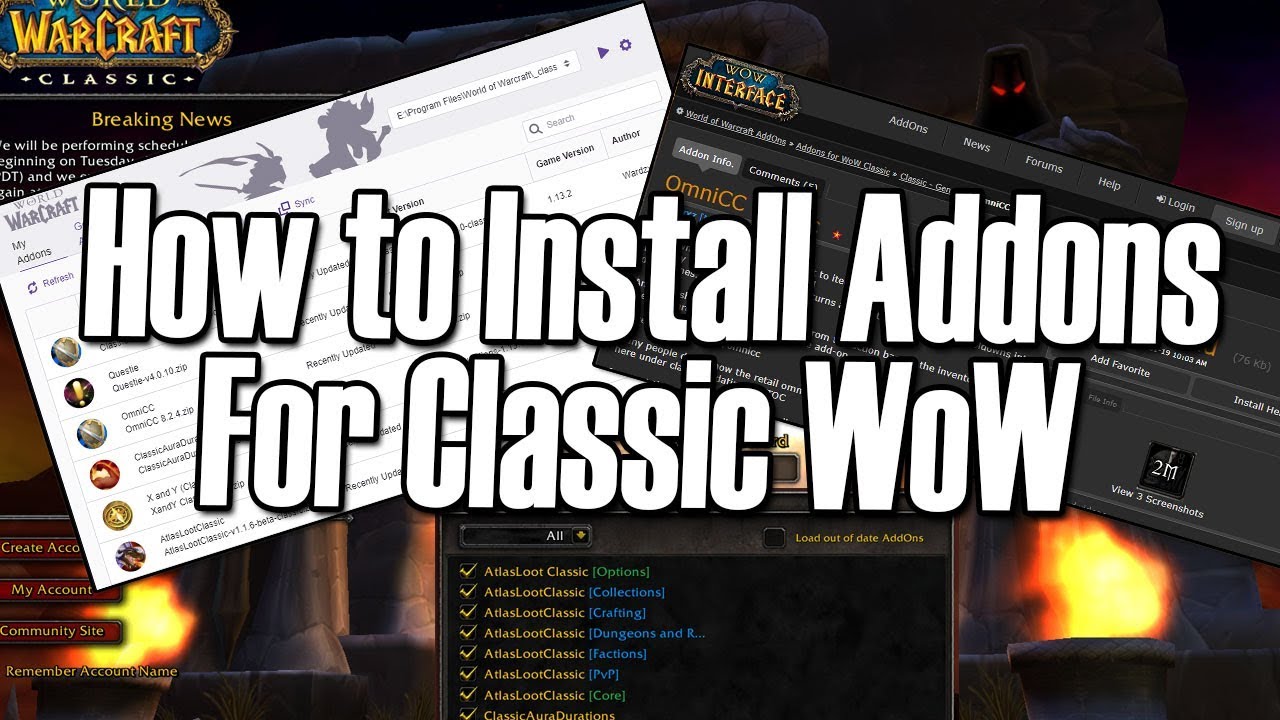
    Want to know exactly where to put these addons and how to install them step by step? Check out our guide: How to Manually Install Addons in WoW Classic.

  • Your Custom UI Isn’t Going Anywhere in Midnight

    Your Custom UI Isn’t Going Anywhere in Midnight

    The WoW community has been buzzing with concerns about what the Midnight expansion means for addons, nameplates, and custom UIs. This week, Game Director Ion Hazzikostas directly addressed those fears in a detailed reply on Reddit — and the message is clear:

    👉 Your custom UI will continue to work in Midnight.

    While Blizzard is refining and modernizing the base UI, the goal is not to replace addons or force players to abandon years of personalization.


    Blizzard’s Vision for Addons in Midnight

    Here are the key takeaways from Ion’s comment:

    • Base UI improvements are ongoing, especially around nameplates, unit frames, and raid frames. Players in beta will see features arrive earlier than usual so Blizzard can gather feedback faster.
    • The goal is not to remove addons but to reduce the feeling that they are mandatory for basic gameplay clarity.
    • The recent “Addon Disarmament” changes are focused on reducing real-time combat logic advantages, not on blocking aesthetic or layout addons.
    • Blizzard understands the power and flexibility of the addon ecosystem — and their UI team is actively working with addon devs to re-enable a wide range of cosmetic addons for Midnight.
    • Custom UIs, themes, resource bars, textures, shapes, colors, layouts… all these will remain customizable as long as they don’t automate combat logic.

    “If You Think the Default UI Is Ugly… That’s Fine.”

    One standout quote from Ion summed it up perfectly:

    “If you think the default UI is ugly, or you prefer your secondary resources displayed in a certain way, that’s entirely your prerogative — and we want as many addon options as possible to let you customize everything that isn’t real-time combat logic.”

    So yes:
    ✔ Your custom unit frames? Safe.
    ✔ Your nameplate style? Safe.
    ✔ Your personal action bar setup? Safe.
    ✔ Your UI overhaul addon? Safe.

    Midnight might refine the base experience, but addons remain a core part of WoW’s identity, and Blizzard intends to keep it that way.


    The Full Reddit Comment

    Comment
    byu/itsVanAken from discussion
    inwow

    The full interview video is available on Youtube

  • How to Manually Install Addons in WoW Classic

    How to Manually Install Addons in WoW Classic

    Whether an addon is not available on your favorite manager, recently updated by the author, or hosted on a different website, sometimes you need to install it manually. The process is simple, but the correct folder path depends on your version of World of Warcraft Classic.

    This guide will walk you through downloading, extracting, installing, and enabling addons across all Classic editions: Vanilla, Season of Discovery, TBC, Wrath, and Cata Classic.


    Step 1 – Download the Addon

    Most addons come in a .zip file. Download it from a trusted source (CurseForge, GitHub, WoWClassicUI, author’s website).

    i

    Always check the version

    Make sure the addon supports your Classic version (Vanilla / SoD / TBC / Wrath / Cata). Many addons publish separate downloads.


    Step 2 – Extract the Addon Folder

    Once downloaded, right-click the .zip file and select:

    • Extract All… (Windows)
    • Extract Here (WinRAR/7-Zip)
    • Archive Utility (macOS)

    You should now see one or more addon folders (e.g., Leatrix_Plus, AtlasLootClassic, WeakAuras, etc.).

    i

    Important

    Avoid double-nested folders. The correct structure is:
    World of Warcraft\__classic__\Interface\AddOns\AddonName\AddonName.toc


    Step 3 – Place the Addon in the Correct Folder

    Move the addon folders into your Classic AddOns directory. The exact path depends on your version:

    📌 WoW Classic (Era / SoD)

    World of Warcraft\_classic_era\Interface\AddOns

    📌 TBC / Wrath / Cata Classic

    World of Warcraft\_classic_\Interface\AddOns

    📌 Windows Default Install Location

    C:\Program Files (x86)\World of Warcraft\_classic_\Interface\AddOns

    📌 Windows (Battle.net Custom Location)

    D:\Games\World of Warcraft\_classic_\Interface\AddOns

    📌 macOS

    /Applications/World of Warcraft/\_classic_\Interface/AddOns

    i

    It must be AddOns (capital A and O)

    WoW is case-sensitive on certain systems. The folder must be exactly named AddOns.


    Step 4 – Enable Addons In-Game

    Launch World of Warcraft and on the Character Select Screen, click:

    • AddOns (bottom-left corner)
    • Make sure the addon is listed and checked
    • Check “Load out of date AddOns” if necessary
    i

    If the addon doesn’t appear

    It means the folder is in the wrong location or you have an extra nested folder layer inside the zip. Check again!


    Step 5 – Updating Addons Manually

    To update the addon later, simply:

    • Download the new version
    • Extract it
    • Replace the old folder in AddOns

    You can safely overwrite the files — no need to delete the old version first.


    Common Problems & Fixes

    • The addon doesn’t show in-game: Wrong folder path or extra nested folder.
    • “Out of date” warning: Check Load out of date AddOns.
    • Multiple folders included: Some addons include libraries; install all of them.
    • Downloaded source code instead of release: On GitHub, always download the Releases section.

    Extra

    Here’s a ready-to-use PowerShell script that helps you find automatically find (and open) your WoW Classic AddOns folder.

    It:

    • Detects Classic Era (_classic_era) and TBC/Wrath/Cata Classic (_classic_)
    • Lets the user choose if multiple installs are found
    • Creates the Interface\AddOns folder if missing
    • Opens the folder in File Explorer at the end
    <#
    .SYNOPSIS
      Detects the World of Warcraft Classic installation folder on Windows
      and opens the correct AddOns folder in Explorer.
    
    .NOTES
      Works with:
        - WoW Classic Era  ( _classic_era )
        - TBC / Wrath / Cata Classic ( _classic_ )
    
      Usage:
        - Right-click PowerShell -> "Run as administrator" (optional but recommended)
        - Run the script:
            .\Find-WoWClassicAddons.ps1
    #>
    
    [Console]::OutputEncoding = [System.Text.UTF8Encoding]::UTF8
    
    Write-Host "=== WoW Classic AddOns Folder Finder ===" -ForegroundColor Cyan
    Write-Host ""
    
    # Common base paths where WoW is usually installed
    $possibleBasePaths = @(
        "$env:ProgramFiles(x86)\World of Warcraft",
        "$env:ProgramFiles\World of Warcraft",
        "$env:SystemDrive\Games\World of Warcraft",
        "$env:SystemDrive\World of Warcraft"
    ) | Where-Object { Test-Path $_ }
    
    if (-not $possibleBasePaths) {
        Write-Warning "No default World of Warcraft install paths found."
        Write-Host "If you installed WoW in a custom location, please enter it manually."
        $manualBase = Read-Host "Enter your World of Warcraft folder path (e.g. D:\Games\World of Warcraft)"
        if (-not (Test-Path $manualBase)) {
            Write-Error "The path you entered does not exist. Exiting."
            return
        }
        $possibleBasePaths = @($manualBase)
    }
    
    # Find Classic install folders inside each base path
    $candidates = @()
    
    foreach ($base in $possibleBasePaths) {
        # Classic Era
        $classicEraPath = Join-Path $base "_classic_era"
        if (Test-Path $classicEraPath) {
            $candidates += [PSCustomObject]@{
                Type = "Classic Era"
                Path = $classicEraPath
            }
        }
    
        # TBC / Wrath / Cata Classic
        $classicPath = Join-Path $base "_classic_"
        if (Test-Path $classicPath) {
            $candidates += [PSCustomObject]@{
                Type = "Classic"
                Path = $classicPath
            }
        }
    }
    
    if (-not $candidates) {
        Write-Error "No WoW Classic installation found under:"
        $possibleBasePaths | ForEach-Object { Write-Host "  - $_" }
        Write-Host ""
        Write-Host "Make sure you pointed to the correct 'World of Warcraft' folder."
        return
    }
    
    # If multiple Classic installs are found, let the user pick one
    $selectedInstall = $null
    
    if ($candidates.Count -eq 1) {
        $selectedInstall = $candidates[0]
        Write-Host "Detected WoW $($selectedInstall.Type) at:" -ForegroundColor Green
        Write-Host "  $($selectedInstall.Path)"
    } else {
        Write-Host "Multiple WoW Classic installations found:" -ForegroundColor Yellow
        for ($i = 0; $i -lt $candidates.Count; $i++) {
            $idx = $i + 1
            Write-Host "[$idx] $($candidates[$i].Type) -> $($candidates[$i].Path)"
        }
    
        do {
            $choice = Read-Host "Select the installation to use (1-$($candidates.Count))"
            [bool]$ok = [int]::TryParse($choice, [ref]$null) -and
                        ($choice -ge 1) -and ($choice -le $candidates.Count)
            if (-not $ok) {
                Write-Host "Invalid choice. Please enter a number between 1 and $($candidates.Count)." -ForegroundColor Red
            }
        } while (-not $ok)
    
        $selectedInstall = $candidates[[int]$choice - 1]
        Write-Host "Selected WoW $($selectedInstall.Type) at:" -ForegroundColor Green
        Write-Host "  $($selectedInstall.Path)"
    }
    
    # Build AddOns path: <WoWClassic>\Interface\AddOns
    $interfacePath = Join-Path $selectedInstall.Path "Interface"
    $addonsPath    = Join-Path $interfacePath "AddOns"
    
    # Ensure folders exist
    if (-not (Test-Path $interfacePath)) {
        Write-Host ""
        Write-Host "Creating Interface folder:" -ForegroundColor Yellow
        Write-Host "  $interfacePath"
        New-Item -ItemType Directory -Path $interfacePath | Out-Null
    }
    
    if (-not (Test-Path $addonsPath)) {
        Write-Host ""
        Write-Host "Creating AddOns folder:" -ForegroundColor Yellow
        Write-Host "  $addonsPath"
        New-Item -ItemType Directory -Path $addonsPath | Out-Null
    }
    
    Write-Host ""
    Write-Host "Your WoW Classic AddOns folder is:" -ForegroundColor Cyan
    Write-Host "  $addonsPath"
    Write-Host ""
    
    # Ask to open Explorer
    $open = Read-Host "Open this folder in Explorer? (Y/N)"
    if ($open -match '^(y|yes)$') {
        Start-Process explorer.exe $addonsPath
    }
    else {
        Write-Host "You can navigate to this folder manually if you prefer." -ForegroundColor DarkGray
    }
    
    Write-Host ""
    Write-Host "Done. You can now copy your addon folders into the AddOns directory above." -ForegroundColor Green
    

    You’re Ready to Customize Your UI!

    With your addons installed, you can now fine-tune your interface depending on your playstyle. If you’re looking for inspiration, check out our curated selections:

    If you’d like us to create a guide for your favorite addon, feel free to ask!

  • Changes on Burning Crusade Anniversary Edition – Everything You Need to Know

    Changes on Burning Crusade Anniversary Edition – Everything You Need to Know

    The Burning Crusade Classic Anniversary Edition is right around the corner, and Blizzard has started to reveal the first wave of changes coming with this special version of TBC Classic. Between account-wide attunements, raid-wide Heroism/Bloodlust, a built-in UI Edit Mode, and quality-of-life features like Guild Banks available from day one, this is shaping up to be the most modern take on The Burning Crusade so far.

    In this article, we’ll break down every confirmed feature, based on recent Blue Posts and community previews, and what they mean for your raiding, alts, and guild management in the Burning Crusade Classic Anniversary game mode.


    Account-Wide Attunements & Heroic Keys

    In original TBC, the long attunement chains quickly became a nightmare for players who wanted to level and gear multiple characters. With the Anniversary Edition, Blizzard keeps the flavor of attunements while removing a lot of the friction by making them account-wide once completed on your main.

    • Raid attunements – Your first character still needs to complete the full attunement for each raid. Once done, that raid is unlocked for every character on your Battle.net account.
    • Raids launch in their post-nerf state, meaning you’re getting the more polished versions of encounters from day one.
    • Heroic dungeon keys – Your main must reach Revered reputation for each faction to unlock the heroic key.
    • After that, you can purchase a Bind-on-Battle.net-Account Bag containing the heroic key and send it to your alts.
    • Alts only need to be Friendly with the faction to use the key and unlock heroic difficulty.

    i

    Alt-Friendly TBC

    You still have to do the full attunement experience at least once, but after that you can freely swap between alts without redoing every quest chain and rep grind for each heroic or raid.


    Raid-Wide Heroism & Bloodlust

    One of the biggest meta-changing adjustments is how Heroism/Bloodlust works in raids. Originally, these buffs were party-wide, which incentivized stacking Shaman across groups.

    • Heroism/Bloodlust is now raid-wide, affecting the entire raid instead of just a single party.
    • It applies a 10-minute Sated/Exhaustion debuff to prevent chains of consecutive Bloodlusts.
    • The debuff only resets on boss kills or wipes.

    i

    What This Means for Raid Comps

    You no longer need a Shaman in every single group just to min-max Bloodlust uptime. This should open up more flexible raid compositions while keeping the impact of Heroism/Bloodlust strong and meaningful.


    Increased Terocone Respawn Rate

    Terocone has always been a notorious bottleneck for Alchemists in The Burning Crusade. It’s a key ingredient for consumables like Flask of Relentless Assault, Haste Potion, and Heroic Potion, which made it one of the most contested herbs in Outland.

    • Terocone’s respawn rate has been increased.
    • Additional Terocone nodes have been added across Outland.

    Expect a healthier supply of Terocone on your realm, more stable herb prices, and slightly less competition for farming routes (at least in theory!).


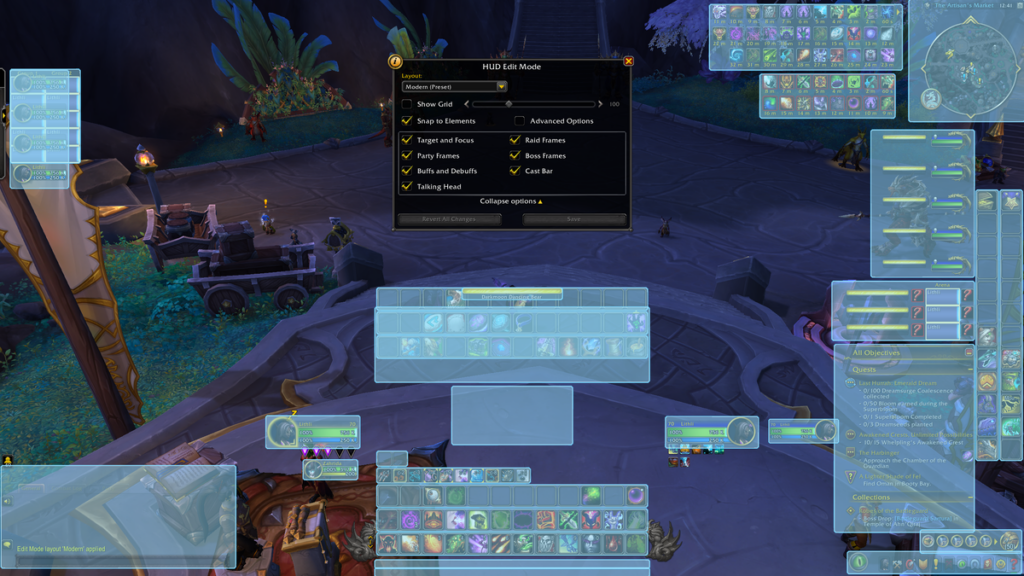
    UI Edit Mode in Burning Crusade Classic

    WoW UI Edit Mode

    Retail players are already familiar with the built-in UI Edit Mode, and now it’s coming to the Burning Crusade Classic Anniversary Edition as a quality-of-life option.

    • Move and reposition UI elements on a grid for better alignment.
    • Create cleaner, more readable layouts without relying purely on addons.
    • Combine Edit Mode with your favorite addons for a finely tuned interface.

    i

    Perfect for Minimal UI Fans

    If you enjoy a clean, minimal interface and only want a few key addons, Edit Mode gives you enough flexibility to build a modern-looking UI with almost no extra bloat.


    Guild Bank Available from the Start

    Guild Bank TBC Anniversary Edtion

    Originally introduced in Patch 2.3, the Guild Bank is now available right from the start in the Anniversary Edition. This is a huge quality-of-life improvement for raid guilds, social guilds, and anyone trying to organize consumables, crafting materials, or guild funds.

    • The Guild Bank is found inside the regular bank, accessible via the vault near the bankers.
    • There are eight purchasable tabs, each with 98 item slots.
    • No bags are needed for these slots.
    • The first tab costs 100 gold, with prices increasing for subsequent tabs.
    • Guild masters can fine-tune permissions per tab for both items and gold.

    Whether you’re stocking flasks for progression or storing crafted gear for alts, having a Guild Bank from day one makes TBC guild life significantly smoother.


    PTR & What Might Come Next

    The Burning Crusade Anniversary PTR is opening, and Blizzard has already hinted that more changes could still be on the way. Players are speculating about potential extra adjustments:

    • Further raid tuning passes or boss adjustments
    • Improved profession catch-up mechanics
    • Additional quality-of-life tweaks for dungeons and grouping
    • Minor class tuning or bugfixes based on PTR feedback

    For now, we know that the Anniversary Edition is bringing a mix of nostalgia and modernization, keeping the heart of TBC while smoothing out some of its rougher edges.


    A Modern Take on a Classic Expansion

    Account-wide attunements, raid-wide Heroism/Bloodlust, a better herb economy, integrated UI customization, and Guild Banks from day one – the Burning Crusade Classic Anniversary Edition is clearly aiming to be the most playable and alt-friendly version of TBC yet.

    As Blizzard continues to iterate on the PTR, we’ll keep an eye on new Blue Posts, changes, and discoveries and share the most important updates here on WoWClassicUI – especially anything that affects your UI, raid setup, and gameplay experience.

    References: